Search results (36)
- Newer first
- Display 510 2550100entries
-

CLI Submissions
- CMail - Command Line Mailer for Windows
- SwithMail - Send SSL SMTP email silently from command line (CLI) (.Net framework)
- Rclone - CLI cloud backup via rsync
Chit-Chat
Freeware That Are Not Portable
Portable Freeware Development
Portable Freeware Discussion
- Opera browser - Topic Index
- Koma Mail
- Nominate the best new portablefreeware of 2016
- Opera Mail - email client
Portable Freeware Submission
- FocusOn Image Viewer
- JPG-Illuminator
- Thunderbird - email and calendar client
- File and Image Uploader (online file utility)
- FoxMail
- Tablacus Explorer - customizable, tabbed file manager
- StackNotes
- TrIDNet - File Identifier [DotNET GUI]
- Riot Isolator - Free anti-malware solution | Anti-RunPE
- Ghostpress: Anti-Keylogger
- MailStore Home
- Niatask - basic scripted automation
- A Few Apps
- Popman - email checker and preview
- Famulus - launcher
- Van Loo Software: SSuite, Fandango, OmegaOffice, Ex-Lex, Scaramouche, Accel, etc.
- VIPole - secure workgrouping [freemium]
- KuKnet FileRenamer
- Snipaste
- APNG Assembler
- Isotoxin - Tox client [discontinued]
- Magic Mail Monitor
- DDownloads - application downloader [discontinued]
- Ricochet - a Tor chat client
- MSI Unpacker
- AxCrypt2Go & AxDecrypt
- URL Monit@r
Portable Freeware Update
Portable Payware Discussion
Resources & Links

Pegasus Mail v4.80 Updated
lwc on 21 Apr 2024 Change history
- 39MB (uncompressed)
- Released on 18 Apr 2024
- Suggested by Prakash Damodaran
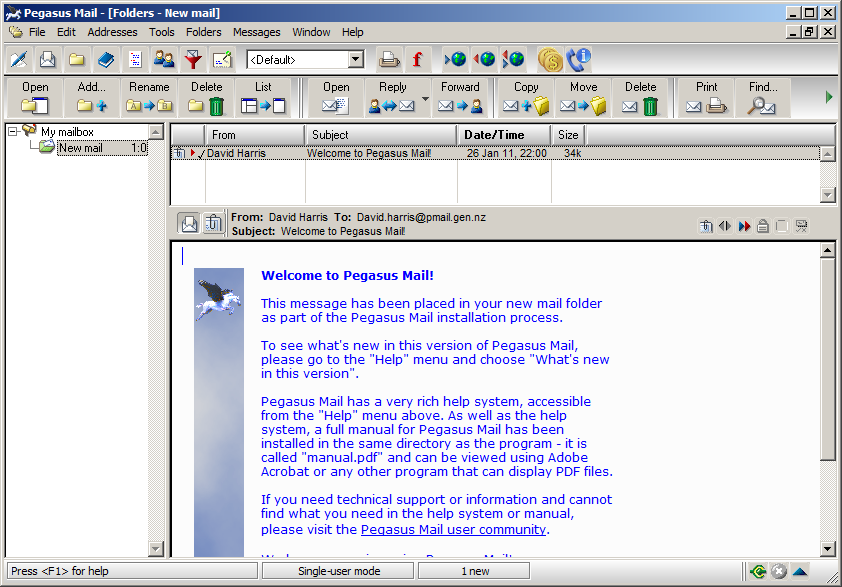
Pegasus Mail is an email client that supports multiple POP3/IMAP4 accounts, HTML email, rule-based and Bayesian spam filtering, multiple identities etc. It also includes special support for Novell NetWare.
| Category: | |
| Runs on: | Win2K / WinXP / Vista / Win7 / Win8 / Win10 |
| Writes settings to: | Application folder. It does create a number of registry entries during operation for the purpose of Windows DDE (Dynamic Data Exchange). You can read WINPMDDE.TXT for more information. |
| Unicode support: | Yes. With Unicode fonts selected. |
| License: | Freeware |
| How to extract: |
|
| Similar/alternative apps: | Sylpheed, Thunderbird |
| What's new? | See: https://www.pmail.com/v48x.htm |
| Latest comments |
smaragdus
on 2014-04-03 22:29
See all
16›
@Bruce |

LWBlat GUI v1.4.0
lwc on 7 Jul 2023 Change history
- 2MB (uncompressed)
- Released on 7 May 2023
- Suggested by lwc
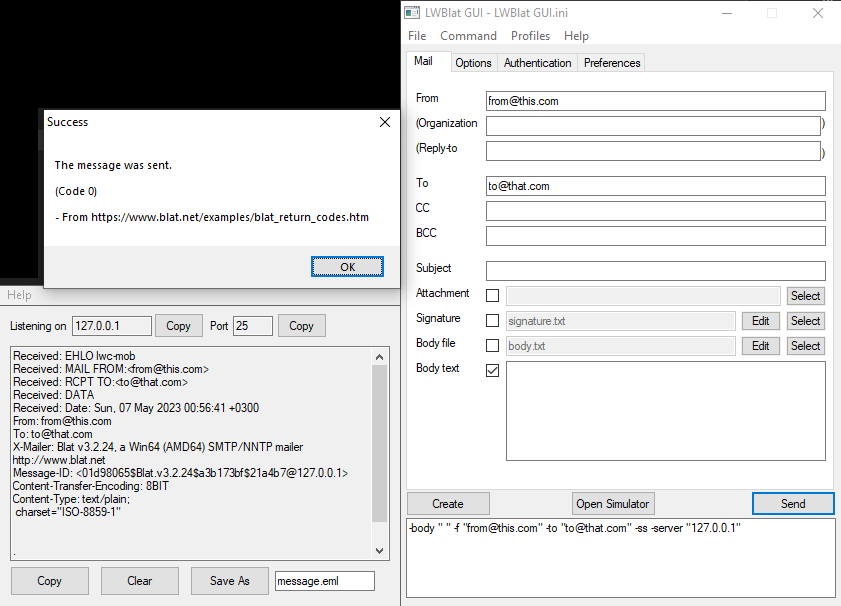
LWBlat is a utility email sender using SMTP or NNTP for posting to newsgroups with a friendly interface. The program is a front-end for the Blat console utility. Also, as modern public SMTP servers require SSL and OAuth which Blat doesn't support, this utility includes a simulator mode to test various settings and see how a message would have been received had it used them.
Alternatively, LWBlat GUI Portable is in PortableApps.com Format and automatically adjusts paths and Blat's own registry settings (if used).
| Category: | |
| Runs on: | Win2K / WinXP / Vista / Win7 / Win8 / Win10 |
| Writes settings to: | Application folder |
| Stealth: ? | Yes |
| Unicode support: | Yes |
| Path portability: | Automatic relative path (eg. ..\..\personal\work.doc) |
| License: | GPL |
| How to extract: |
|
| What's new? |
|

ThunderbirdPassDecryptor Portable v3.0 Updated
lwc on 1 May 2024 Change history
- 1MB (uncompressed)
- Released on 13 Apr 2013
- Suggested by guinness
ThunderbirdPassDecryptor is a tool that recovers the stored mail account password by Mozilla Thunderbird. You can also use it to recover the Thunderbird account passwords from another system (i.e. a backup or profile folder).
Note:
- If a "master" password is set, other passwords are not accessible without it. The publisher offers a command-line FireMaster to try and brute-force the protection. Strong passwords (15+ characters) are not worthwhile to brute-force.
- The main website download link has switch to an encrypted installer. Linking to softpedia.
| Category: | |
| Runs on: | WinXP / Vista / Win7 |
| Writes settings to: | None |
| Stealth: ? | Yes |
| License: | Freeware |
| How to extract: |
|
| What's new? | See https://www.softpedia.com/progChangelog/ThunderbirdPassDecryptor-Portable-Changelog-179705.html |
| Latest comments | See all 5› |

EssentialPIM Free v11.8.4 Updated
Ennovy on 12 Mar 2024 Change history
- 25MB (uncompressed)
- Released on 12 Mar 2024
- Suggested by Andrew Lee
EssentialPIM includes a calendar/scheduler, todo list, contact manager, basic e-mail client, and tree-like multi-level notes tool that supports rich text, formatting and images.
While many advanced functions such as synchronization and encryption are exclusive in the Pro version, the program is capable of manually importing from variety of formats including Outlook, TreePad, Google calendar etc. Additionally, it can export to many formats including HTML, vCard, iCal, RTF, CSV, iPod, text etc.
| Category: | |
| Runs on: | WinXP / Vista / Win7 / Win8 / Win10 / Win11 |
| Writes settings to: | Application folder |
| Stealth: ? | Yes |
| Unicode support: | Yes |
| License: | Liteware |
| How to extract: | Download the installer, run and choose "Portable version". Launch EssentialPIM.exe. |
| What's new? | See: https://www.essentialpim.com/blog-and-news/version-history |
| Latest comments |
gjsmith1949
on 2020-10-24 15:09
I have used this PIM for many years however since Yahoo inflicted their new security measures I have been unable to download messages from my Yahoo account, I have followed all the instructions provided by Yahoo to add Essential PIM to the list of message services but to no avail.
DzejPy
on 2020-10-26 09:34
EssentialPIM free since version 9 can not add e-mail account Google (Gmail) or Microsoft (Outlook) - fails 2-step verification (OAuth).
FireRabbit
on 2021-12-14 00:27
See all
62›
PSA: I've tested both Outlook and Yahoo in version 10 and they both work fine for me. |

PicPick v7.2.8 Updated
Andrew Lee on 5 Mar 2024 Change history
- 113MB (uncompressed)
- Released on 23 Feb 2024
- Suggested by Cornflower
PicPick is a versatile all-in-one tool for images on the desktop. Includes a powerful screen capture tool, editor, color picker and palette, pixel ruler, protractor, crosshair, whiteboard and more. Can upload images automatically to FTP, Facebook, Twitter, default e-mail program, or send to installed Microsoft Office programs (Word, Excel, or PowerPoint).
Alternatively, PicPick Portable is stealth and automatically adjusts paths.
| Category: | |
| Runs on: | WinXP / Vista / Win7 / Win8 / Win10 / Win11 |
| Writes settings to: | Application folder |
| Stealth: ? | No. Leaves picpick in APPDATA, Cloud Explorer in LOCALAPPDATA, and picpick in ALLUSERSAPPDATA. |
| Unicode support: | Yes |
| License: | Free for personal use. Note that without a blank picpick.ini file, the program will offer optional installation of the Bing toolbar. |
| How to extract: |
Download the "Portable" ZIP package and extract to a folder of your choice. Create a blank file called picpick.ini in the same folder. Launch picpick.exe. Optionally, delete unnecessary language files. |
| Similar/alternative apps: | ShareX |
| What's new? | See full changelog at: https://picpick.app/en/changelog |
| Latest comments |
kiwichick888
on 2022-10-24 04:49
See all
53›
I just downloaded using the link here and got the previous version 6.3.1. Downloaded again from the website and got the right one. The link on the website Download page (Portable Version) is different to the one here. |

XAMPP v8.2.12
lwc on 23 Dec 2023 Change history
- 674MB (uncompressed)
- Released on 19 Nov 2023
- Suggested by Hank7
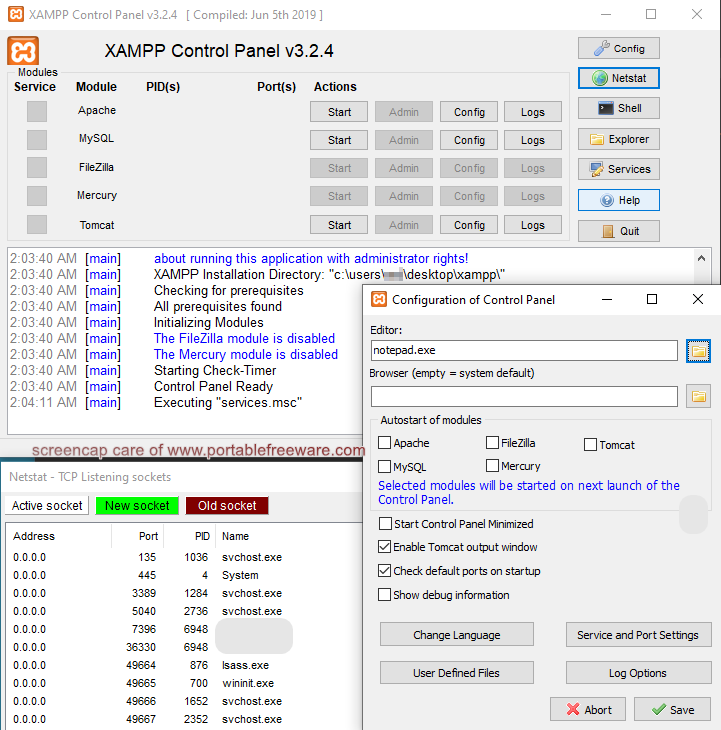
XAMPP is an integrated server package with mail, Web, FTP, and WebDAV. Named for Apache + MariaDB + Filezilla + PHP + Perl (AMPP) plus Mercury and Tomcat, the program includes a open software packages combined to power the various services, including JSP Java, OpenSSL, and more.
Also available for OSX and Linux.
Notes:
- To also add portable Python:
- Download and extract Python's NuGet package
- In XAMPP's control panel, click Config=>Apache (httpd.conf)
- Add AddHandler cgi-script .py into the end of the file (see this blog post for other info)
- Start your PY files with #!..\Python\python.exe (or wherever else you extracted the Python folder)
- To also add portable Composer:
- Download Compser's Manual Installation (i.e. portable) version
- Extract it in any folder you like
- Modify the command in the link above to the relative (or absolute) path to the main PHP file, for example (assuming you'll run composer from htdocs): @echo ..\php\php "%~dp0composer.phar" %*>composer.bat
- In order to be able to download packages, edit php\php.ini and uncomment ;extension=zip (i.e. remove the ;)
- One useful function of this program is the Wiki on a stick tool that works with XAMPP.
- XAMPP has add-on capabilities, currently only a WordPress installation (but previously also a portable MediaWiki).
| Category: | |
| Runs on: | Vista / Win7 / Win8 / Win10 / Win11 |
| Writes settings to: | Application folder |
| Stealth: ? | Yes |
| Unicode support: | Yes |
| License: | GPL |
| How to extract: |
|
| Similar/alternative apps: | Uniform Server, Abyss Webserver X1 |
| What's new? | See: https://www.apachefriends.org/blog.html |
| Latest comments |
freakazoid
on 2012-06-02 20:22
webfork: Because it's their preferred portable build. Not everyone will need the full package. The lite / portable build should be sufficient for people building a website for testing locally and on the go.
olliebean
on 2018-10-19 14:51
Just for clarification, is the full version portable? Because the only version labelled "portable" at the download link appears to be the lite version, without FTP or Mail.
Pax
on 2019-05-17 03:49
See all
25›
Note: The description should replace Oracle's MySQL with the community-based fork: MariaDB. |

VaultPasswordView v1.12
Andrew Lee on 20 Dec 2023 Change history
- 130KB (uncompressed)
- Released on 17 Dec 2023
- Suggested by billon
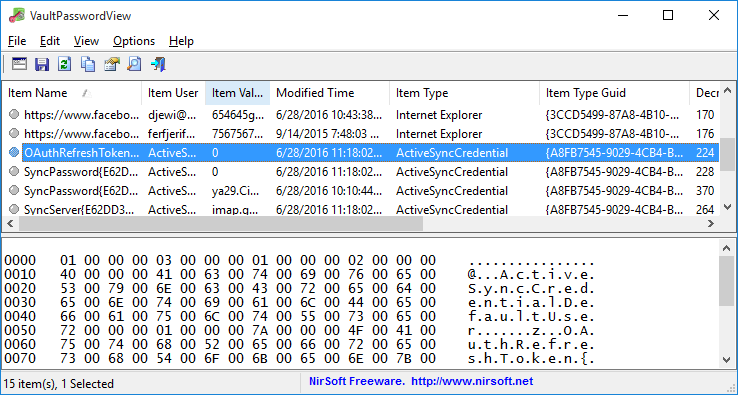
VaultPasswordView decrypts and displays the passwords and other data stored inside 'Windows Vault' including passwords of Internet Explorer 10.0/11.0 and Microsoft Edge and login information of Windows Mail application running under Windows 8 or later. You can use it to decrypt the Windows Vault data of your currently running system, as well as the Windows Vault data stored on external hard drive.
| Category: | |
| Runs on: | Win8 / Win10 |
| Writes settings to: | Application folder |
| Stealth: ? | Yes |
| Unicode support: | Yes |
| License: | Freeware |
| How to extract: | Download the ZIP package and extract to a folder of your choice. Launch VaultPasswordView.exe. |
| Similar/alternative apps: | WebBrowserPassView, IE PassView, Mail PassView |
| What's new? |
|
| Latest comments | Add comment 1› |

CredentialsFileView v1.12
Andrew Lee on 5 Dec 2023 Change history
- 132KB (uncompressed)
- Released on 4 Dec 2023
- Suggested by billon
CredentialsFileView decrypts and displays the passwords and other data stored inside the Windows operating system Credentials files. You can use it to decrypt the data of your currently system or on an external hard drive.
Credentials files include: login/passwords of remote computers on your LAN, mail accounts in Outlook, Windows Live session info, RDP 6 information, IE 7.x and 8.x, MSN Messenger / Windows Messenger accounts.
| Category: | |
| Runs on: | WinXP / Vista / Win7 / Win8 / Win10 |
| Writes settings to: | Application folder |
| Stealth: ? | Yes |
| Unicode support: | Yes |
| License: | Freeware |
| How to extract: | Download the ZIP package and extract to a folder of your choice. Launch CredentialsFileView.exe. |
| Similar/alternative apps: | VaultPasswordView |
| What's new? |
|
| Latest comments |
smaragdus
on 2017-03-13 15:31
Add comment
1›
Website says: |

PopMan v1.3.18
Ennovy on 24 Mar 2023 Change history
- 8MB (uncompressed)
- Released on 23 Mar 2023
- Suggested by Darren Blake
PopMan is an email management tool that notifies of new mail and previews received mail on your server. Unwanted mail can be deleted directly from the server without having download them.
The program includes rules and blacklists to manage email and supports both POP3 and IMAP4 protocols.
| Category: | |
| Runs on: | WinXP / Vista / Win7 / Win8 / Win10 |
| Writes settings to: | Application folder |
| Stealth: ? | Yes |
| Unicode support: | Yes |
| License: | GNU GPLv2 |
| How to extract: |
Download the ZIP package and extract to a folder of your choice. Launch PopMan.exe. Optionally, delete unnecessary languages and themes. |
| Similar/alternative apps: | nPOP, nPOPuk, POP Peeper |
| What's new? | See: http://ch-software.de/popman/changelog1.3.htm |
| Latest comments |
Ennovy
on 2016-03-09 15:10
@Kea: added Win10 to system requirements. Tested in Windows 10 and works fine!
smaragdus
on 2016-03-09 21:31
See all
16›
PopMan is great but unfortunately it seems to be abandoned. There is one thing I don't like about it- PopMan doesn't support Unicode. |

RetroShare v0.6.6
lwc on 18 Aug 2022 Change history
- 49MB (uncompressed)
- Released on 15 Mar 2021
- Suggested by lautrepay
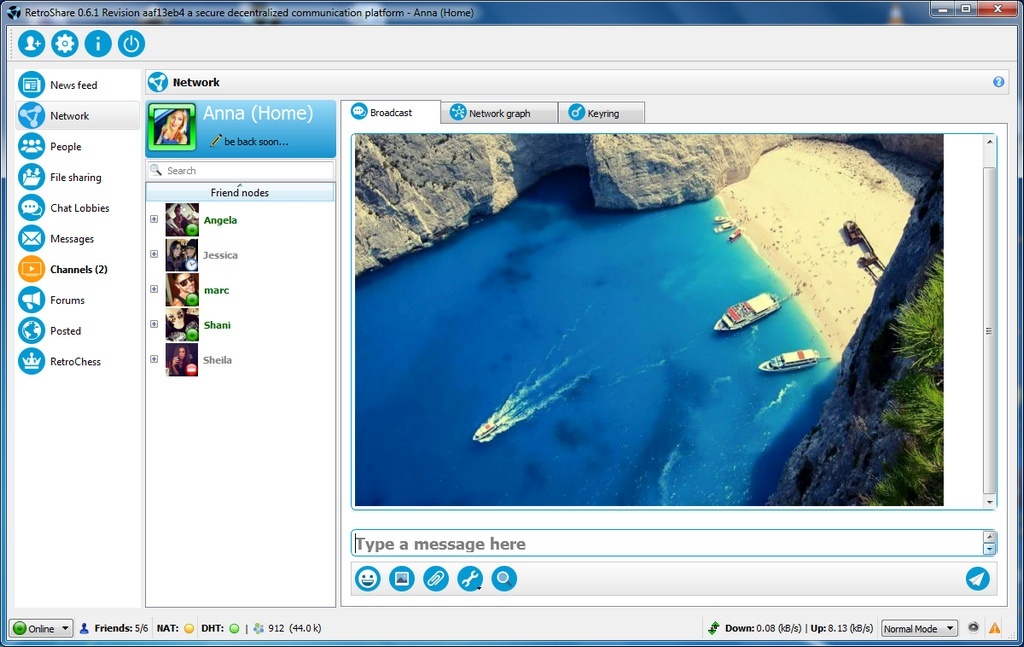
RetroShare is a feature-rich communications platform for small groups of users with a focus on privacy. The program includes an exclusive and secure toolset for instant messaging, chat rooms, forums, direct messages (e-mail), file server, VoIP, channels for distributing content and link exchange. It functions as an open, distributed alternative to many commercial groupware programs.
Additional features include RSS feed reader, status messages (away/busy), different modes for low traffic, transfer and disk space limits, plugins, skins and much more. Cross-platform (Mac, Linux, BSD).
Great for small businesses, groups, and a safer alternative to most file sharing methods. Networks can be small or large, but communications between users are limited by default to friends and friends-of-friends, with more specific controls available.
| Category: | |
| Runs on: | WinXP / Vista / Win7 / Win8 / Win10 |
| Writes settings to: | Application folder |
| Stealth: ? | No |
| Unicode support: | Yes |
| License: | GNU GPLv2 |
| How to extract: | Download the "Portable" 7z package and extract (using a program like PeaExtractor) to a folder of your choice. Launch RetroShare.exe. |
| Similar/alternative apps: | qTox, Brosix |
| What's new? |
See: https://retroshareteam.wordpress.com/2021/03/15/release-notes-for-v0-6-6/ |
| Latest comments |
ozziguy
on 2017-03-14 10:16
v0.6.2 QT5 does not run on xp because QT5 does not support xp anymore
webfork
on 2017-03-17 23:00
See all
4›
@ozziguy: Looks like they're still offering the portable 7zip version, and it's 20% smaller. I'll go ahead and list both. Thanks for the note. |