Latest entries (500)
- Newer first
- Display 510 2550100entries
-


RegCool v2.005 Updated
Ennovy on 6 May 2024 Change history
- 1MB (uncompressed)
- Released on 6 May 2024
- Suggested by JohnW
RegCool is an advanced registry editor. It provides the complete functionality of Windows' own Regedit and has many powerful features that allow you to work faster and more efficiently with registry related tasks: multiple undo and redo; search and replace; compare registries; cut, copy and paste; drag and drop; easy and flexible Favorites management; editing '.REG' and '.HIVE-Files' in offline mode; registry snapshot; backup and restore; defragment, etc.
RegCool runs on all Windows versions from Vista onward and is available in multiple languages.
| Category: | |
| Runs on: | Vista / Win7 / Win8 / Win10 / Win11 |
| Writes settings to: | Application folder |
| Dependencies: | Administrator rights, GDIPLUS.DLL, MSVCRT.DLL |
| Stealth: ? | Yes |
| Unicode support: | Yes |
| License: | Freeware |
| How to extract: | Download the portable ZIP package (x32 or x64 according to your OS) and extract to a folder of your choice. Launch RegCool.exe. |
| Similar/alternative apps: | Registry Commander |
| What's new? |
|

AutoHotkey v2.0.14 Updated
Ennovy on 6 May 2024 Change history
- 7MB (uncompressed)
- Released on 6 May 2024
- Suggested by Jon Pajela
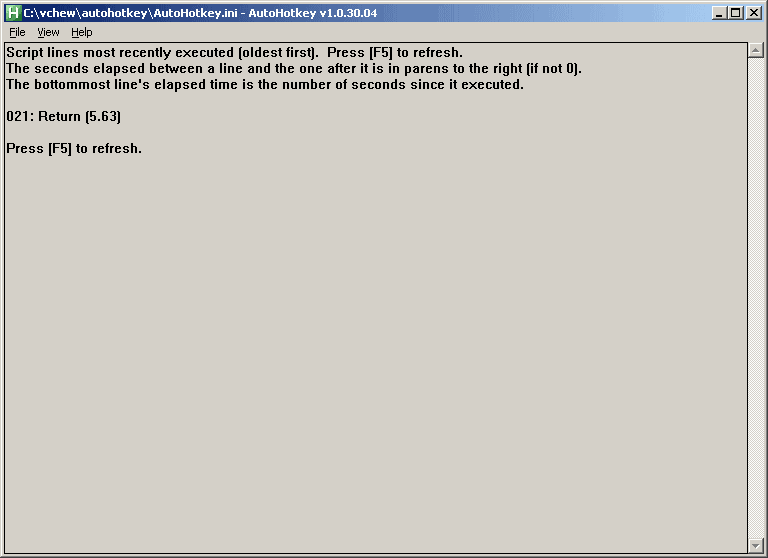
AutoHotkey is a powerful automation and scripting tool with an option to export to a self-contained executable. Possible uses include assigning the hotkey "Ctrl-Alt-F" to launch Firefox, making abbreviations expand to their full definition as you type them, or saving time by setting the computer to auto-click a confirmation screen.
The program can create entire applications and has been used to create many hosted here on PortableFreeware including 7plus, WallPaper Randomizer, Gridy and many more.
Note: Though it's bit outdated (from 2021), Pulover's Macro Creator can be used as a macro recorder and includes an "Export to AHK" function.
| Category: | |
| Runs on: | WinME / WinNT / Win2K / WinXP / Vista / Win7 / Win8 / Win10 / Win11 |
| Writes settings to: | Application folder |
| Stealth: ? | No. By default, it places an ahk script file in user documents. However, if you place a ahk file with the same name alongside the executable (eg. autohotkey.exe => autohotkey.ahk), it becomes stealth. |
| Unicode support: | Yes |
| License: | GNU GPLv2 |
| How to extract: |
|
| Similar/alternative apps: | AutoIt |
| What's new? |
See: https://www.autohotkey.com/docs/v2/ChangeLog.htm. For major changes between v2.x and v1.x, see https://www.autohotkey.com/docs/v2/v2-changes.htm. |
| Latest comments |
Ennovy
on 2023-02-12 08:41
See all
40›
v2 will be actively developed and v1 will be considered deprecated: https://www.autohotkey.com/boards/viewtopic.php?f=24&t=112989 |

EditPad Lite v8.5.0 Updated
Ennovy on 6 May 2024 Change history
- 9MB (uncompressed)
- Released on 6 May 2024
- Suggested by Jacek Zebrowski
EditPad Lite is a fast and lightweight general-purpose text editor. It allows you to open many files simultaneously and switch between them using tabs. It also supports many functions for text manipulation and conversion.
A 64-bit version is available. EditPad's installer now automatically installs a 64-bit version of EditPad on 64-bit Windows.
| Category: | |
| Runs on: | WinXP / Vista / Win7 / Win8 / Win10 / Win11 |
| Writes settings to: | Application folder |
| Stealth: ? | No. Creates HKCU\Software\JGsoft on Windows 8.1. |
| Unicode support: | Yes |
| License: | Free for personal use |
| How to extract: |
|
| Similar/alternative apps: | AkelPad, Notepad++ |
| What's new? | See: https://www.editpadlite.com/releasenotes.html |
| Latest comments |
Ennovy
on 2021-03-31 10:06
"How to extract: 3. The program will save to the root of that drive."
AndTheWolf
on 2023-07-21 14:48
See all
27›
My first attempt to download EditPad Lite v8.42 resulted in a zero-length SetupEditPadLite.exe and a cryptic error message. After some research I discovered that your download points to http://download.jgsoft.com/editpad/SetupEditPadLite.exe, but my browser enforces the https protocol. Downloading from httpS://download.jgsoft.com/editpad/SetupEditPadLite.exe worked. |

Tablacus Explorer v24.5.3 Updated
Ennovy on 6 May 2024 Change history
- 2MB (uncompressed)
- Released on 3 May 2024
- Suggested by am Baas
Tablacus Explorer is a quad-pane file manager that supports tabs, mouse gestures, favorites, filters and different view styles. Its functionality can be extended via plug-ins which can be installed and updated from within the program.
| Category: | |
| Runs on: | WinXP / Vista / Win7 / Win8 / Win10 |
| Writes settings to: | Application folder |
| Unicode support: | Yes |
| License: | MIT License |
| How to extract: |
Download the ZIP package and extract to a folder of your choice. Launch TE32.exe or TE64.exe depending on your OS. Optionally, delete unnecessary language files. |
| Similar/alternative apps: | Q-Dir |
| What's new? | See: https://github.com/tablacus/TablacusExplorer/releases |
| Latest comments |
aazard
on 2020-11-26 00:54
Tablacus Explorer is very powerful >>> in the way of plugins (see for yourself)
aazard
on 2020-11-26 00:56
See all
13›
Missing Plugins Link, because that's this apps "thing": |

RedNotebook v2.33 Updated
Ennovy on 5 May 2024 Change history
- 277MB (uncompressed)
- Released on 5 May 2024
- Suggested by Hydaral
RedNotebook is a modern journal that includes a calendar navigation, customizable templates, export functionality and a "cloud" box containing frequently used words and tags. The program also includes spell check, formatting, insert images, files and links, automatic backup, templates, export to multiple formats. You can also format, tag and search your entries. Your data is stored in plain text files - no database needed.
Cross-platform and available in more than 30 languages. Alternatively, RedNotebook Portable is stealth, smaller, re-opens your last journal and has faster startup times. The outdated X-RedNotebook is also available.
| Category: | |
| Runs on: | WinXP / Vista / Win7 / Win8 / Win10 |
| Writes settings to: | Application folder |
| Stealth: ? | No. Creates: %userprofile%\webkit\icondatabase\WebpageIcons.db %userprofile%\.recently-used.xbel |
| Path portability: | Automatic relative path (eg. ..\..\personal\work.doc) |
| License: | GNU GPLv2 |
| How to extract: |
Problems? This process requires an up-to-date component (Innounp 0.36 or above) for Universal Extractor. If you have difficulty extracting the files, follow the steps below and retry:
|
| What's new? | See: https://github.com/jendrikseipp/rednotebook/blob/master/CHANGELOG.md |
| Latest comments |
smaragdus
on 2017-06-11 06:08
I cannot find RedNotebook version 2.0 for Windows (as of 2017-06-11):
ashghost
on 2017-09-09 01:36
See all
5›
@smaragdus: Version 2.2 was recently released for Windows according to changelog here: https://github.com/jendrikseipp/rednotebook/blob/master/CHANGELOG |

GetWindowText v4.94 Updated
Andrew Lee on 5 May 2024 Change history
- 84KB (uncompressed)
- Released on 28 Apr 2024
- Suggested by lautrepay
GetWindowText lets you grab text from static system messages via drag-and-drop. The program lets you work with most windows containing text including Edit, Static, Groupbox - Controls etc.
| Category: | |
| Runs on: | Win2K / WinXP / Vista / Win7 / Win8 / Win10 |
| Writes settings to: | Application folder |
| Stealth: ? | Yes |
| Unicode support: | Yes |
| License: | Freeware |
| How to extract: | Download the ZIP package and extract to a folder of your choice. Launch GetWindowText.exe or GetWindowText_x64.exe (for 64-bit OS). |
| Similar/alternative apps: | SysExporter, Textify |
| What's new? | See: https://softwareok.com/?seite=Microsoft/GetWindowText/History |
| Latest comments |
TP109
on 2017-11-02 22:47
Add comment
3›
Easy to use and works good - just drag and drop over the window or dialog box. Seems more reliable and lite weight compared to similar apps. |

NonCompressibleFiles v4.67 Updated
Andrew Lee on 5 May 2024 Change history
- 110KB (uncompressed)
- Released on 28 Apr 2024
- Suggested by Checker
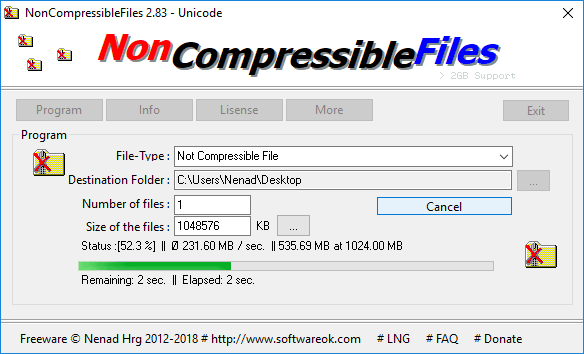
NonCompressibleFiles is a testing program that allows you to create on the fly one or more non-compressible files, or maximum compressible files. Can be used to test performance of compression programs, to find out if data transfer programs (such as FTP) are compressing the data, or test file behavior.
| Category: | |
| Runs on: | Win98 / WinME / WinNT / Win2K / WinXP / Vista / Win7 / Win8 / Win10 |
| Writes settings to: | Application folder |
| Stealth: ? | Yes |
| Unicode support: | Yes |
| License: | Freeware |
| How to extract: | Download the "Portable" ZIP package and extract to a folder of your choice. Launch NonCompressibleFiles_p.exe or NonCompressibleFiles_x64_p.exe. |
| What's new? | See: https://softwareok.com/?seite=Microsoft/NonCompressibleFiles/History |

QOwnNotes v24.5.1 Updated
Ennovy on 5 May 2024 Change history
- 64MB (uncompressed)
- Released on 5 May 2024
- Suggested by pbek
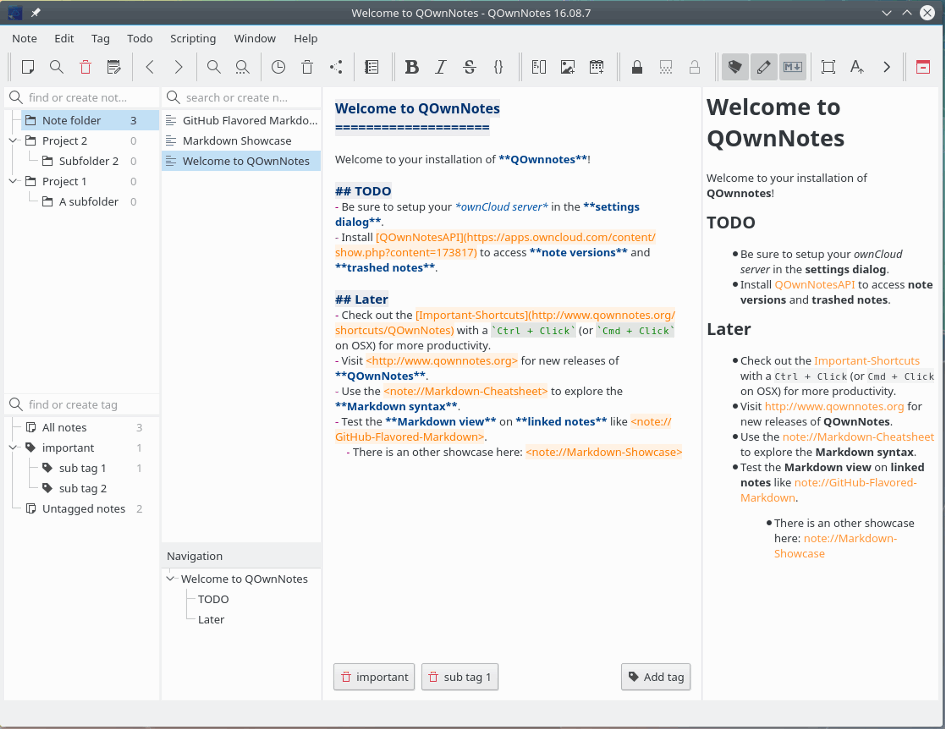
QOwnNotes is a text editor / notepad replacement with markdown support and todo list manager. The program supports themes, keyboard shortcuts, syntax highlighting and encryption. Includes available nested file list, tags, search and more. Optionally works with the notes application ownCloud or Nextcloud.
Cross-platform with clients available for Mac and Linux. Windows XP users can find builds here.
| Category: | |
| Runs on: | WinXP / Vista / Win7 / Win8 / Win10 / Win11 |
| Writes settings to: | Application folder (if launched with QOwnNotesPortable.bat) |
| Unicode support: | Yes |
| Path portability: | Automatic relative path (eg. ..\..\personal\work.doc) |
| License: | GNU GPLv2 |
| How to extract: |
Download the ZIP package and extract to a folder of your choice. Launch QOwnNotesPortable.bat or launch QOwnNotes.exe --portable. Optionally, delete unnecessary language files. |
| What's new? | See: https://www.qownnotes.org/changelog.html |
| Latest comments | See all 8› |

ToDoList v8.3.1.1 Updated
Ennovy on 6 May 2024 Change history
- 12MB (uncompressed)
- Released on 5 May 2024
- Suggested by leloo
ToDoList is a hierarchical task manager that allows you to repeatedly sub-divide your tasks into more manageable pieces, which makes it ideal for IT-related projects as well as more general activities. Each task can be given a wide variety of attributes including priority, risk, color, category and many more. Viewable in tree, list or calendar format and includes native XML support for custom reporting.
Created lists can be exported to a variety of formats including HTML, ICS (calendar), speadsheet and more. Supports remote todolists and encryption for security.
| Category: | |
| Runs on: | WinXP / Vista / Win7 / Win8 / Win10 / Wine |
| Writes settings to: | Application folder |
| Dependencies: | "Check for update" requires administrator privileges. |
| Stealth: ? | No. Registers some components in the registry: HKCU\Software\Abstractspoon |
| License: | The Eclipse Public License 1.0 |
| How to extract: |
Optionally, delete unnecessary language files at \todolist_exe\Resources\Translations |
| What's new? | Version chagelogs posted at: https://abstractspoon.com/phpBB/viewforum.php?f=5. |
| Latest comments |
TP109
on 2017-01-28 02:43
@IanFromBarrie
hamasaki
on 2023-02-09 21:37
Download link doesn't work. "There is no file called todolist_exe.zip on this workspace."
joby_toss
on 2023-02-09 22:51
See all
39›
https://github.com/abstractspoon/ToDoList_Downloads/blob/master/Latest/todolist_exe.zip |

EMDB v5.29 Updated
Ennovy on 5 May 2024 Change history
- 8MB (uncompressed)
- Released on 4 May 2024
- Suggested by MarkCo
EMDB (Eric's Movie DataBase) helps you keep track of your movie and television series collections, supporting both physical discs and media files. The program includes an automatic import from IMDB, thumbnail cover preview, a loan tracker, text or HTML, export to CSV, advanced search and filter functions.
| Category: | |
| Runs on: | Vista / Win7 / Win8 / Win10 / Win11 |
| Writes settings to: | Application folder |
| Stealth: ? | No |
| License: | Freeware |
| How to extract: |
|
| Similar/alternative apps: | Ant Movie Catalog |
| What's new? | See: https://emdb.eu/whats-new.html |
| Latest comments |
hamasaki
on 2017-10-12 02:47
It is not stealth, it adds an uninstall entry and a pile of registry keys.
Midas
on 2020-03-10 10:11
Add comment
3›
@Loreto: EMDB has been in our database since 2016 and there have been no other such reports. |