Categories /
Programming - Scripting Languages (7)
- Newer first
- Display 510 2550100entries
-


AutoHotkey v2.0.13 Updated
lintalist on 20 Apr 2024 Change history
- 7MB (uncompressed)
- Released on 20 Apr 2024
- Suggested by Jon Pajela
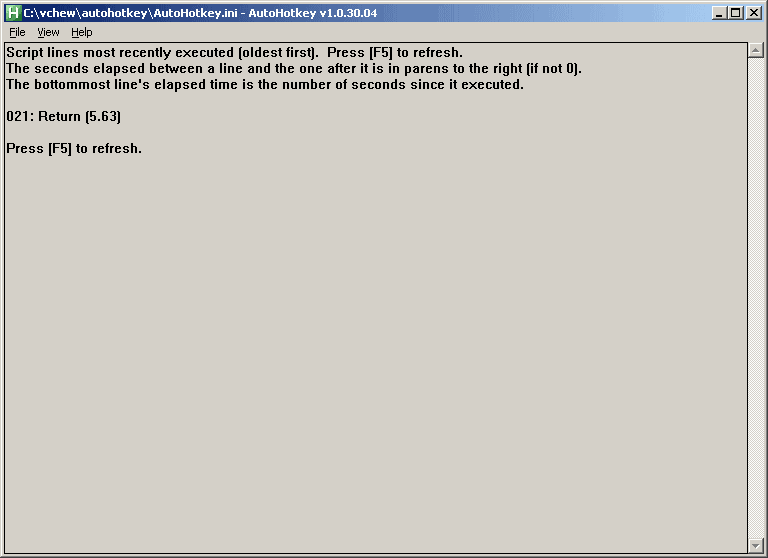
AutoHotkey is a powerful automation and scripting tool with an option to export to a self-contained executable. Possible uses include assigning the hotkey "Ctrl-Alt-F" to launch Firefox, making abbreviations expand to their full definition as you type them, or saving time by setting the computer to auto-click a confirmation screen.
The program can create entire applications and has been used to create many hosted here on PortableFreeware including 7plus, WallPaper Randomizer, Gridy and many more.
Note: Though it's bit outdated (from 2021), Pulover's Macro Creator can be used as a macro recorder and includes an "Export to AHK" function.
| Category: | |
| Runs on: | WinME / WinNT / Win2K / WinXP / Vista / Win7 / Win8 / Win10 / Win11 |
| Writes settings to: | Application folder |
| Stealth: ? | No. By default, it places an ahk script file in user documents. However, if you place a ahk file with the same name alongside the executable (eg. autohotkey.exe => autohotkey.ahk), it becomes stealth. |
| Unicode support: | Yes |
| License: | GNU GPLv2 |
| How to extract: |
|
| Similar/alternative apps: | AutoIt |
| What's new? |
See: https://www.autohotkey.com/docs/v2/ChangeLog.htm. For major changes between v2.x and v1.x, see https://www.autohotkey.com/docs/v2/v2-changes.htm. |
| Latest comments |
Ennovy
on 2023-02-12 08:41
See all
40›
v2 will be actively developed and v1 will be considered deprecated: https://www.autohotkey.com/boards/viewtopic.php?f=24&t=112989 |

Python NuGet v3.12.1
lwc on 23 Dec 2023 Change history
- 41MB (uncompressed)
- Released on 8 Dec 2023
- Suggested by AlephX
Python is an interpreted, interactive, object-oriented programming language. It incorporates modules, exceptions, dynamic typing, very high level dynamic data types, and classes. It has interfaces to many system calls and libraries, as well as to various window systems, and is extensible in C or C++. It is also usable as an extension language for applications that need a programmable interface.
The NugGt package is a portable version of Python with support and even basic built-in inclusion of third party tools like the package installer pip.
Alternatively, download the official Python's embedded version (which doesn't natively support any third party tools).
Either of them can be manually added as part of XAMPP.
| Category: | |
| Runs on: | Vista / Win7 / Win8 / Win10 / Win11 |
| Writes settings to: | None |
| Unicode support: | Yes |
| License: | Python Software Foundation License |
| How to extract: |
|
| Latest comments |
jgermann
on 2014-08-15 21:48
I cannot find an .exe file to download. What I get is a .torrent file which universal extractor does not recognize.
Checker
on 2014-08-16 00:21
@ jgermann: Scroll down to the bottom of the download page and use one of the mirror downloads (e.g. USA Rowan.edu). Klick on "HTTP".
shnbwmn
on 2016-04-11 18:37
See all
9›
According to the website, Portable Python is no longer being developed. It would seem that WinPython (http://winpython.github.io/) is its successor. |

AutoIt v3.3.16.1 Updated
lwc on 24 Apr 2024 Change history
- 29MB (uncompressed)
- Released on 19 Sep 2022
- Suggested by Klaatu
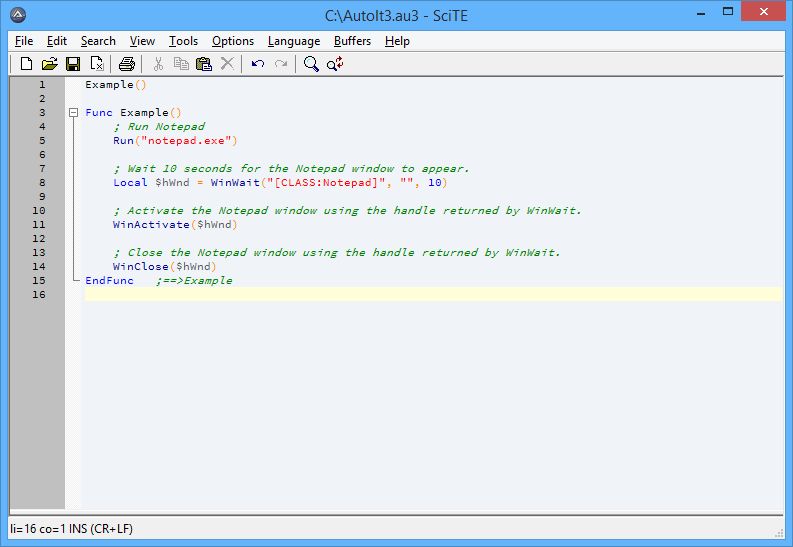
AutoIt is a BASIC-like scripting language designed for automating the Windows GUI and general scripting. It uses a combination of simulated keystrokes, mouse movement and window/control manipulation in order to automate tasks or perform user interface testing.
Users new to the program are encouraged to read an introduction (thanks guinness.)
Note: the outdated (from 2012) AutoIt Portable allows you to create a portable environment of SciTE4AutoIt3 and AutoIt together, as well as cleaning AppData and opening the program editor with sample scripts (also thanks to guinness).
A 64 bit version is available (within the folder).
| Category: | |
| Runs on: | WinXP / Vista / Win7 / Win8 / Win10 / Win11 |
| Writes settings to: | Application folder |
| Stealth: ? | No. Every time one compiles a script (at least through SciTE=>Tools=>Build) it creates the folder %LocalAppData%\AutoIt v3\ (specifically %LocalAppData%\AutoIt v3\Aut2exe) for temp files. But since the files are temporary (only existing during compilation) the folder is at least usually empty. See bug report. You might want to run SciTE through a Program Portabilizer set to delete the aforementioned folder upon exit. |
| Unicode support: | Yes |
| License: | Freeware |
| How to extract: |
|
| Similar/alternative apps: | AutoHotkey |
| What's new? | See: https://www.autoitscript.com/autoit3/docs/history.htm |
| Latest comments |
Mawg
on 2023-10-17 09:26
See all
23›
I downloaded this and the linked portable SciTE4AutoIt3. I put the latter into a subdirectory of this (named SciTE4AutoIt3), and when I run `AutoIt3.exe HelloWorld.au3` from the AutoIt directory, I get a pop-up "It Appears AutoIt Portable was unable to load the SciTEGlobal.properties". How do I configure things? |

CSV Buddy v3.0
lwc on 22 Dec 2022 Change history
- 3MB (uncompressed)
- Released on 18 Jul 2022
- Suggested by JnLlnd
CSV Buddy adds additional functionality to the widely-supported basic spreadsheets known as Comma-Separated Value (CSV) files. The program allows the edition of a variety of formats, import/export, reorder, merge and more. Tasks can be automated with scripting commands.
Works with comma-delimited, tab-delimited and other CSV-type files. A 64-bit version is included. Written using AutoHotKey.
| Category: | |
| Runs on: | WinXP / Vista / Win7 / Win8 / Win10 / Win11 |
| Writes settings to: | Application folder |
| Stealth: ? | Yes |
| Unicode support: | Yes. Unicode support in 64-bit version. |
| License: | Apache License, Version 2.0 |
| How to extract: | Download the ZIP package and extract to a folder of your choice. Launch CSVBuddy-x_x-32-bit.exe or CSVBuddy-x_x-64-bit.exe. |
| Similar/alternative apps: | CSVFileView |
| What's new? |
|

X-HotkeyP v4.8.2 [rev1]
lwc on 7 Jul 2023 Change history
- 3MB (uncompressed)
- Released on 1 May 2016
- Suggested by Danix
HotkeyP (archived) is a small but powerful macro and hotkey utility that enables you to create a wide range of macro commands and keyboard shortcuts that can perform common tasks such as opening files, running programs, empty the recycle bin, reboot your PC, start the screensaver and much more.
X-HotkeyP is a version of the software packaged in winPenPack format.
| Category: | |
| Runs on: | WinXP / Vista / Win7 / Win8 / Win10 |
| Writes settings to: | Application folder |
| Path portability: | Automatic relative path (eg. ..\..\personal\work.doc) |
| License: | GPL |
| How to extract: | Download the ZIP package and extract to a folder of your choice. Launch X-HotkeyP.exe. |
| What's new? |
|

TyperTask v1.20
smaragdus on 30 Apr 2018 Change history
- 53KB (uncompressed)
- Released on 16 Mar 2012
- Suggested by dmg
TyperTask is a powerful automation utility with a simple text-based interface. The program enables a variety of capabilities including automatic text replacement as you type, launch of web addresses and files via hotkeys, mouse events, window focus and more.
Note that first-time users should read the detailed instructions and examples of function definitions available under the Help menu.
NOTE: Program discontinued, linking to archive.org. Also available from PortableApps (thanks shnbwmn).
| Category: | |
| Runs on: | WinXP / Vista / Win7 / Win8 / Win10 |
| Writes settings to: | Application folder |
| Stealth: ? | Yes |
| Unicode support: | No |
| License: | Free for personal use |
| How to extract: | Download typertask.exe to a folder of your choice and launch. |
| Similar/alternative apps: | Lintalist, PhraseExpress, Texter |
| Latest comments |
Andrew Lee
on 2018-04-17 22:32
Thanks to smaragdus. I have made V1.20 available for direct download.
shnbwmn
on 2018-04-18 07:02
See all
24›
On PortableApps (1.20 Rev. 2): |

LSMacro v1.0.1
webfork on 3 Dec 2019 Change history
- 1MB (uncompressed)
- Released on 1 Feb 2010
- Suggested by Cornflower
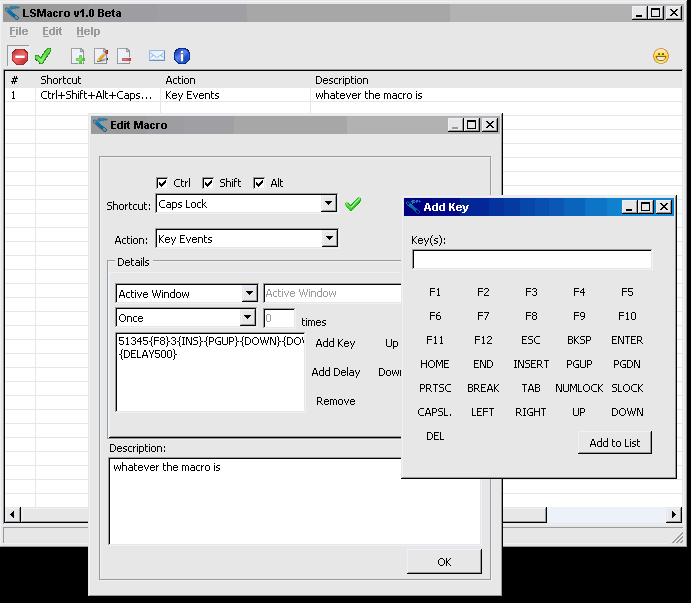
LSMacro is a lightweight keyboard macro utility program that allows you to run programs, open URLs, do screen captures, or send key/mouse events to other programs with just a few keystrokes. Intuitive and easy to use, remaining in the System tray once macros are defined. Can create macro keys with Control, Shift, or Alt keys.
Note: The website is offline, a download mirror has been provided.
| Category: | |
| Runs on: | WinXP / Vista / Win7 |
| Writes settings to: | Application folder, in macrolist.lis file. |
| Dependencies: | None |
| License: | Freeware |
| How to extract: | Download the 7zip file and extract to a folder of your choice. Launch LSMacro.exe. |
| Similar/alternative apps: | X-HotkeyP, TyperTask |
| Latest comments |
Midas
on 2015-12-11 21:29
@Billo255: that note was implying the "Download" link. We'll have to wait and see if anyone comes up with an alternative URL...
Billo255
on 2015-12-14 00:51
@Midas - Thanks but still confused. I was thinking the note meant that it was being hosted by PFC but the download link goes off into limbo the same way the weblink to the authors site does. (or at least it did when I clicked on it a few days ago).
Midas
on 2015-12-14 16:37
See all
7›
All those dead links never pointed to TPFC -- you can check the tooltip on mouse over, the explicit linking to TPFC is just a database device to launch the original URL. TPFC usually doesn't host any files... |