I am Baas's favorites (369)
- Newer first
- Display 510 2550100entries
-


Imagine v1.5.3 Updated
Ennovy on 21 May 2024 Change history
- 1MB (uncompressed)
- Released on 21 May 2024
- Suggested by infimum
Imagine is a lightweight, fast and easy to use image viewer with basic graphics and animation edit features. Also includes screen capture, thumbnail browser, slideshow and metadata disclosure. Conversion tools include batch format change to dozens of formats and lossless JPEG changes (rotate and flip).
Additional formats support available through plugins.
| Category: | |
| Runs on: | Win95 / Win98 / WinME / WinNT / Win2K / WinXP / Vista / Win7 / Win8 / Win10 |
| Writes settings to: | Application folder |
| Stealth: ? | Yes |
| Unicode support: | Yes |
| License: | Freeware |
| How to extract: |
|
| Similar/alternative apps: | IrfanView |
| What's new? | See: https://www.nyam.pe.kr/dev/imagine/whatsnew/ |
| Latest comments |
filobus
on 2023-09-25 12:32
See all
22›
On site download link doesn't work (anyway, as it is on github, I found that link: https://github.com/nyam1003/imagine) |

TreeSheets May 18 2024 Updated
Ennovy on 18 May 2024 Change history
- 11MB (uncompressed)
- Released on 18 May 2024
- Suggested by I am Baas
TreeSheets is a mashup of many different program types including spreadsheets, mind mappers, outliners, PIMs, text editors and small databases. It has a tabbed interface and is lightweight and fast, using few system resources even with large files.
It's like a spreadsheet, but much more suitable for complex data because it's hierarchical. It's like a mind mapper, but more organized and compact. It's like an outliner, but in more than one dimension. It's like a text editor, but with structure. It is capable of many kinds of data organization, including todo lists, calendars, project management, brainstorming, organizing ideas, planning, requirements gathering, presentation of information, etc.
Functional in 64-bit and cross platform (Linux and Mac).
| Category: | |
| Runs on: | Vista / Win7 / Win8 / Win10 / Win11 |
| Writes settings to: | Application folder |
| Stealth: ? | Yes |
| Unicode support: | Yes |
| Path portability: | Automatic relative path (eg. ..\..\personal\work.doc) |
| License: | zlib License |
| How to extract: |
|
| Similar/alternative apps: | XMind |
| What's new? | See: https://github.com/aardappel/treesheets/releases |
| Latest comments |
kanu
on 2021-08-17 11:32
For the life of me I can't find any links to download latest artifacts (as it's called) in github's action page of this project. Any help, please?
dilentec
on 2022-08-14 21:46
Super usefull, I really recommend following the tutorial to learn all it's great functions. As of today, binaries are available at: https://strlen.com/treesheets/
Ennovy
on 2023-04-05 06:35
See all
24›
Version Apr 4 2023 download ZIP file instead of installer: https://github.com/aardappel/treesheets/releases/download/4612737023/windows_treesheets_no_installer.zip |

IsMyLcdOK v5.59 Updated
Ennovy on 16 May 2024 Change history
- 84KB (uncompressed)
- Released on 16 May 2024
- Suggested by I am Baas
IsMyLcdOK checks for dead/paralysed/stuck pixels on LCD monitors.
| Category: | |
| Runs on: | Win98 / WinME / WinNT / Win2K / WinXP / Vista / Win7 / Win8 / Win10 |
| Writes settings to: | Application folder |
| Stealth: ? | Yes |
| Unicode support: | Yes |
| License: | Freeware |
| How to extract: |
|
| What's new? | See: https://softwareok.com/?seite=Microsoft/IsMyLcdOK/History |
| Latest comments |
rodger123
on 2012-12-15 01:59
Add comment
1›
Works as adverised,at least it does not claim to fix dead pixels,I like it!(found 1 dead pixel)BooHoo |

RSS Guard v4.7.0 Updated
Ennovy on 14 May 2024 Change history
- 232MB (uncompressed)
- Released on 14 May 2024
- Suggested by smaragdus
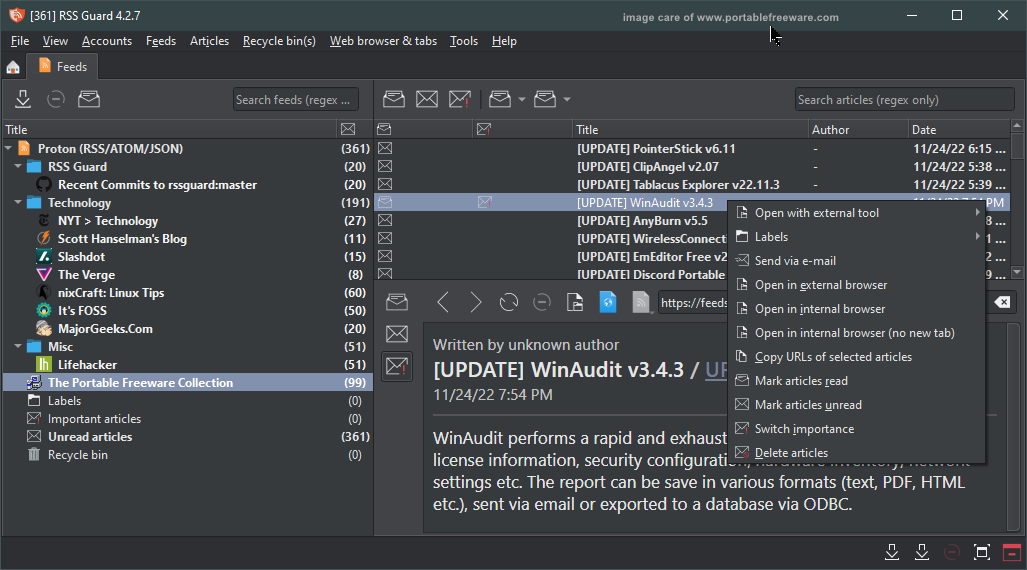
RSS Guard is a customizable, skinnable feed reader with a tabbed interface. It can fetch the most known feed formats, including RSS/RDF and ATOM and store them in a nested list, keyboard shortcuts, notification settings, gesture support and more.
Only available for 64-bit Windows. Cross-platform, supporting a wide array of operating systems (Linux, OS X, *BSD, and more).
| Category: | |
| Runs on: | Vista / Win7 / Win8 / Win10 |
| Writes settings to: | Application folder |
| Dependencies: | All custom dependencies are packed in the archive. If user wants to use MySQL backend, then he/she has to have MySQL server running. |
| Stealth: ? | No |
| Unicode support: | Yes |
| Path portability: | Automatic relative path (eg. ..\..\personal\work.doc) |
| License: | GNU GPLv3 |
| How to extract: |
Download the 7z package and extract (using a program like PeaExtractor) to a folder of your choice. Launch rssguard.exe. Optionally, delete unnecessary translations to save space. |
| Similar/alternative apps: | QuiteRSS, GreatNews, FeedReader, NFReader |
| What's new? | See: https://github.com/martinrotter/rssguard/releases |
| Latest comments |
rbon
on 2019-08-19 16:52
I suggest specifying that the file to download to get the portable version is:
kowcop
on 2023-01-13 17:06
See all
8›
Has anyone found a way to auto mark feeds or articles as read? In most other readers, there is an option to mark as read when you navigate away from the feed |

PrivaZer v4.0.85 Updated
Ennovy on 10 May 2024 Change history
- 19MB (uncompressed)
- Released on 10 May 2024
- Suggested by lautrepay

PrivaZer scans and cleans your computers and storage devices, including external disks, USB flash drives, iPods, SD cards or network drives. It safeguards your privacy by removing unwanted traces of internet activities, software usage, USB history, registry and files.
The program includes an available secure delete function that overwrites files to prevent recovery.
| Category: | |
| Runs on: | WinXP / Vista / Win7 / Win8 / Win10 / Win11 |
| Writes settings to: | Application folder |
| Dependencies: | Administrator rights |
| Stealth: ? | Yes |
| Unicode support: | Yes |
| License: | Freeware |
| How to extract: | Download the "portable version" PrivaZer.exe to a folder of your choice and launch. |
| Similar/alternative apps: | BleachBit, CCleaner |
| What's new? | See: https://privazer.com/changelog.php |
| Latest comments |
Klard
on 2021-12-22 12:28
I've been using PrivaZer for a few months now and I like it. Most of the time when something goes wrong it is Me, not the app.
The_PrivaZer_Team
on 2022-01-02 11:12
Thank you Klard for your nice words.
kinki
on 2024-03-31 13:48
See all
12›
I've some portable browser and port. thunderbird on drive D:, not useable to clean the internet browsing. |

Just Color Picker v6.0 Updated
lwc on 10 May 2024 Change history
- 2MB (uncompressed)
- Released on 9 May 2024
- Suggested by lautrepay
Just Color Picker is a tool that captures the colour of any pixel in any screen area and displays its code in a variety of formats: HTML, RGB, HEX, HSB/HSV, HSL, CMYK and Delphi.
| Category: | |
| Runs on: | Win2K / WinXP / Vista / Win7 / Win8 / Win10 |
| Writes settings to: | Application folder |
| Stealth: ? | Yes |
| Unicode support: | Yes |
| License: | Freeware |
| How to extract: |
|
| Similar/alternative apps: | ColorMania, ColorSchemer ColorPix |
| What's new? | See: https://annystudio.com/software/colorpicker/#versionhistory |
| Latest comments |
tomcat
on 2018-01-22 04:43
The instructions say:
Midas
on 2018-01-22 07:27
Add comment
2›
Type '[Windows key]+R', drag and drop 'jcpicker.exe' into the "Run" dialog, edit the the character string you just placed in the "Open" field, adding " /ini" at the end, click the "OK" button and presto... it's called a "Command Line Parameter". |

ShareX v16.1.0 Updated
Ennovy on 9 May 2024 Change history
- 13MB (uncompressed)
- Released on 9 May 2024
- Suggested by I am Baas
ShareX is a feature-rich screenshot utility that can grab a selected area with a single key and then edit, save to clipboard, drive and/or instantly upload them to 25+ different hosting services (posts to Imgur by default). ShareX can capture screenshots with variety of shapes including rectangle, rounded rectangle, ellipse, triangle, diamond, polygon and freehand. Supports screenshots with transparency and shadow, as well as those that require scrolling. In addition to images, the program can upload other file types, supporting uploads from the clipboard, a watched folder, as well as drag-and-drop.
Additional tools include a powerful screen audio+video recorder (MP4/WEBM or animated GIF format), color picker, ruler, FTP client, monitor test, file hash checker, QR code generator+reader, image effects and much more.
| Category: | |
| Runs on: | Win7 / Win8 / Win10 / Win11 |
| Writes settings to: | Application folder |
| Dependencies: | Microsoft .NET Framework 4.7.2+ |
| Stealth: ? | No. Log file saved to AppData\Local\Microsoft\CLR_v4.0\UsageLogs |
| Unicode support: | Yes |
| License: | GNU GPLv3 |
| How to extract: |
Download the "portable" ZIP package and extract to a folder of your choice. Launch ShareX.exe. Optionally,
|
| Similar/alternative apps: | PicPick, Greenshot |
| What's new? | See: https://getsharex.com/changelog |
| Latest comments |
smaragdus
on 2017-03-22 14:26
ShareX is not stealth, it creates "ShareX.exe.log" in AppData (C:\Users\UserNAme\AppData\Local\Microsoft\CLR_v4.0\UsageLogs).
__philippe
on 2018-11-09 09:11
See all
36›
ShareX v12.3.0 notable enhancement: |

Tablacus Explorer v24.5.3 Updated
Ennovy on 6 May 2024 Change history
- 2MB (uncompressed)
- Released on 3 May 2024
- Suggested by am Baas
Tablacus Explorer is a quad-pane file manager that supports tabs, mouse gestures, favorites, filters and different view styles. Its functionality can be extended via plug-ins which can be installed and updated from within the program.
| Category: | |
| Runs on: | WinXP / Vista / Win7 / Win8 / Win10 |
| Writes settings to: | Application folder |
| Unicode support: | Yes |
| License: | MIT License |
| How to extract: |
Download the ZIP package and extract to a folder of your choice. Launch TE32.exe or TE64.exe depending on your OS. Optionally, delete unnecessary language files. |
| Similar/alternative apps: | Q-Dir |
| What's new? | See: https://github.com/tablacus/TablacusExplorer/releases |
| Latest comments |
aazard
on 2020-11-26 00:54
Tablacus Explorer is very powerful >>> in the way of plugins (see for yourself)
aazard
on 2020-11-26 00:56
See all
13›
Missing Plugins Link, because that's this apps "thing": |

calibre v7.10 Updated
Ennovy on 3 May 2024 Change history
- 403MB (uncompressed)
- Released on 3 May 2024
- Suggested by I am Baas

calibre is a feature-rich e-book library management application with a variety of useful functions including viewer, addendums, editor, online book and news search/download. The software can perform detailed searches, convert e-books to device-specific formats, batch metadata tools, and a content server for online access to your collection.
The program syncs automatically with many different physical devices. It supports a variety of ebook and document formats.
Cross-platform with clients available for Mac and Linux. Alternatively, Calibre Portable and an outdated X-calibre, as well as a WinXP-compatible version are also available.
| Category: | |
| Runs on: | Win10 / Win11 |
| Writes settings to: | Application folder |
| Dependencies: | Requires 64-bit Windows |
| Stealth: ? | No. HKCU\Software\Trolltech |
| Unicode support: | Yes |
| License: | GNU GPLv3 |
| How to extract: | Download the "portable installer" and extract to a folder of your choice. Launch calibre-portable.exe. |
| Similar/alternative apps: | TEBookConverter |
| What's new? |
See: https://calibre-ebook.com/whats-new For details on the major changes in calibre between 7.0 and 6.0, see https://calibre-ebook.com/new-in/sixteen |
| Latest comments | See all 24› |

PDF-XChange Editor v10.3.0.386 Updated
Ennovy on 30 Apr 2024 Change history
- 150MB (uncompressed)
- Released on 29 Apr 2024
- Suggested by Midas

PDF-XChange Editor is a fast, feature-rich PDF viewer and editor with a tabbed interface. The program includes edition of text-based PDFs, OCR of images to fully text-searchable, full document spellchecking, rotate/crop, comments/annotations, QR codes and more. You can apply custom stamps from any image/PDF file/Windows clipboard, mark-up pages with text and objects and add/edit hyperlinks.
The program supports import and export to text or image (BMP/JPEG/TIFF/PNG etc.).
Note: The free PDF-XChange Editor lacks some features present in the registered version (payware). Some "Pro" features can be used, but will add a watermark upon saving.
| Category: | |
| Runs on: | Win7 / Win8 / Win10 / Win11 |
| Writes settings to: | Application folder |
| Stealth: ? | Yes |
| Unicode support: | Yes |
| License: | Freeware |
| How to extract: |
Download the "Portable Version" ZIP package and extract to a folder of your choice. Launch PDFXEdit.exe. Optionally:
|
| Similar/alternative apps: |
Foxit Reader, PDF XChange Viewer Xelitan PDF Reader (8MB) |
| What's new? | See: https://www.pdf-xchange.com/product/pdf-xchange-editor/history |
| Latest comments |
Cornflower
on 2024-05-15 06:37
Technically it falls under the category of shareware; however, the freeware viewer/annotation and some basic editing is not time limited. If you "hide" the licensed features (either in File, Preferences, Registration, or under Help, License Key), then everything you see in the menus or context menus is free, indefinitely. I've been using this version for many years now without incident or watermarks showing up.
vubogia82
on 2024-05-16 13:59
See all
28›
more than 70% free functions for basic tasks without any ads, the software is really great, can edit text without watermark, if you just need basic viewing and editing then it wins For you, advanced functions need to purchase a license. |