Categories /
System - Registry (29)
- Newer first
- Display 510 2550100entries
-


RegCool v2.004 Updated
Midas on 23 Apr 2024 Change history
- 1MB (uncompressed)
- Released on 22 Apr 2024
- Suggested by JohnW
RegCool is an advanced registry editor. It provides the complete functionality of Windows' own Regedit and has many powerful features that allow you to work faster and more efficiently with registry related tasks: multiple undo and redo; search and replace; compare registries; cut, copy and paste; drag and drop; easy and flexible Favorites management; editing '.REG' and '.HIVE-Files' in offline mode; registry snapshot; backup and restore; defragment, etc.
RegCool runs on all Windows versions from Vista onward and is available in multiple languages.
| Category: | |
| Runs on: | Vista / Win7 / Win8 / Win10 / Win11 |
| Writes settings to: | Application folder |
| Dependencies: | Administrator rights, GDIPLUS.DLL, MSVCRT.DLL |
| Stealth: ? | Yes |
| Unicode support: | Yes |
| License: | Freeware |
| How to extract: | Download the portable ZIP package (x32 or x64 according to your OS) and extract to a folder of your choice. Launch RegCool.exe. |
| Similar/alternative apps: | Registry Commander |
| What's new? |
|

Windows Registry Recovery v3.1.2 Updated
Ennovy on 14 Feb 2024 Change history
- 2MB (uncompressed)
- Released on 14 Feb 2024
- Suggested by AlephX
Windows Registry Recovery allows to directly read files containing Windows registry hives and extract many useful information about the configuration and windows installation settings of the host machine.
Note that the program is not simply a registry editor: it works with other tools, including exported keys. It’s useful for seeing registry issues, sandboxing tools, and diagnostics. To your own computer's registry files, open a NTUSER.DAT system file but keep in mind that these are usually hidden by Windows to avoid accidental deletion.
| Category: | |
| Runs on: | WinXP / Vista / Win7 / Win8 / Win10 |
| Writes settings to: | Windows registry |
| Stealth: ? | No. HKCU\Software\MiTeC\WRR |
| Unicode support: | Yes |
| License: | Free for personal use |
| How to extract: | Download the ZIP package and extract to a folder of your choice. Launch WRR.exe. |
| Similar/alternative apps: | RegistryViewer, RawReg |
| What's new? |
|
| Latest comments |
Raj Sharma
on 2009-12-26 02:11
I find it a good Program. Only one of its kind. You should know where your registry hives are.
joeyjuviyani
on 2010-02-02 00:17
Get the awesome guide on "Monitor, clean and optimize the Windows registry" at:
jenss
on 2024-01-18 10:50
See all
5›
wrong url joeyjuviyani |

EncryptedRegView v1.06
Andrew Lee on 3 Dec 2023 Change history
- 136KB (uncompressed)
- Released on 30 Nov 2023
- Suggested by billon
EncryptedRegView scans the Registry of your current running system or the Registry of external hard drive you choose and searches for data encrypted with DPAPI (Data Protection API). When it finds encrypted data in the Registry, it tries to decrypt it. With this tool, you may find passwords and other secret data stored in the Registry by Microsoft as well as by third-party products.
| Category: | |
| Runs on: | WinXP / Vista / Win7 / Win8 / Win10 |
| Writes settings to: | Application folder |
| Unicode support: | Yes |
| License: | Freeware |
| How to extract: | Download the ZIP package and extract to a folder of your choice. Launch EncryptedRegView.exe. |
| What's new? |
|
| Latest comments |
__philippe
on 2017-03-05 22:19
EncryptedRegView v1.01 downloads attempts from TPFC bomb with a "Forbidden" error message.
__philippe
on 2017-03-06 10:35
Download snag from TPFC temporarily circumvented by pointing instead
MIKLO
on 2017-06-25 14:59
Add comment
3›
Link worked for me fine, another great program from Nirsoft keep EM coming :) |

Registry Finder v2.58
Ennovy on 8 Oct 2023 Change history
- 13MB (uncompressed)
- Released on 8 Oct 2023
- Suggested by Midas
Registry Finder is an improved replacement for the built-in Windows registry editor. It has many features that makes working with registry more productive, comfortable and safe, including:
- Cut/Copy/Paste keys and/or values.
- Undo and redo registry modifications (except changing permissions).
- Multiple local and remote registry windows.
- Fast, non blocking search.
- Whole search results are displayed in a list.
- Multiple search results window.
- Ability to search within previous search results narrowing down your search scope.
- Ability to search for hidden keys.
| Category: | |
| Runs on: | WinXP / Vista / Win7 / Win8 / Win10 |
| Writes settings to: | Application folder |
| Stealth: ? | Yes |
| License: | Freeware |
| How to extract: | Download the "Archive" ZIP package and extract to a folder of your choice. Launch RegistryFinder.exe. |
| Similar/alternative apps: | RegScanner |
| What's new? | See: https://registry-finder.com/version_history.html. |
| Latest comments |
MIKLO
on 2016-12-16 18:05
Add comment
2›
Well I was able to DL this time without getting the Russian dating site now that's progress...unless they are busy hacking the Democrats :) |

RegistryChangesView v1.30
Andrew Lee on 27 Sep 2023 Change history
- 161KB (uncompressed)
- Released on 25 Sep 2023
- Suggested by billon
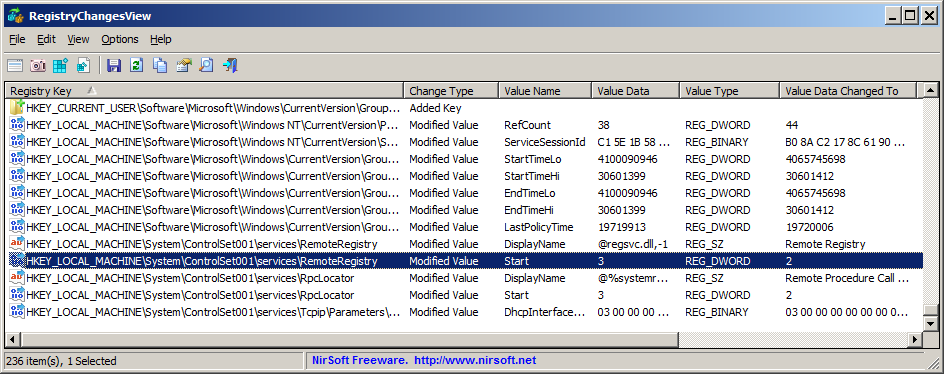
RegistryChangesView allows you to take a snapshot of Windows Registry and later compare it with the current Registry, Registry files stored in a shadow copy created by Windows, or other snapshots. When comparing two snapshots, exact changes are displayed, with optional export of the changes into a standard .reg file.
| Category: | |
| Runs on: | WinXP / Vista / Win7 / Win8 / Win10 |
| Writes settings to: | Application folder |
| Unicode support: | Yes |
| License: | Freeware |
| How to extract: | Download the ZIP package and extract to a folder of your choice. Launch RegistryChangesView.exe. |
| Similar/alternative apps: | Regshot, RegFromApp |
| What's new? |
|

MJ Registry Watcher v1.2.8.8
Ennovy on 14 Aug 2023 Change history
- 8MB (uncompressed)
- Released on 14 Aug 2023
- Suggested by AlephX
MJ Registry Watcher is a system tray program that monitors and alerts you to changes to any registry keys files or folders. The default set of keys and files should ensure that nothing gets run at startup without your knowledge and important boot up files don't get changed behind your back, but you can configure it to suit your own needs. The program can also keep a full history of alerts in a log file.
| Category: | |
| Runs on: | WinAll |
| Writes settings to: | Application folder |
| Dependencies: | Administrator rights |
| Stealth: ? | Yes |
| License: | Freeware |
| How to extract: | Download the ZIP package and extract to a folder of your choice. Launch RegWatcher.exe. |
| What's new? |
|
| Latest comments |
gerrymartin
on 2021-11-08 09:25
See all
9›
This software protects and monitors changes to your registry and system files on Windows. It has saved me lots of time and effort with foistware and other unwanted system changes made by certain programs. It offers a registry backup facility which backs up your entire registry every 28 days and retains the last 15 copies. This has also saved me when I rather over-zealously tried to remove GotoMyPC from my computer. In terms of resource usage and intrusiveness, you will barely notice it's there, especially once you have exempted certain alerts from coming up after your initial deployment. Excellent and well recommended. |

Auslogics Registry Defrag v14.0.0.3
Andrew Lee on 13 Jul 2023 Change history
- 8MB (uncompressed)
- Released on 11 Jul 2023
- Suggested by Andrew Lee
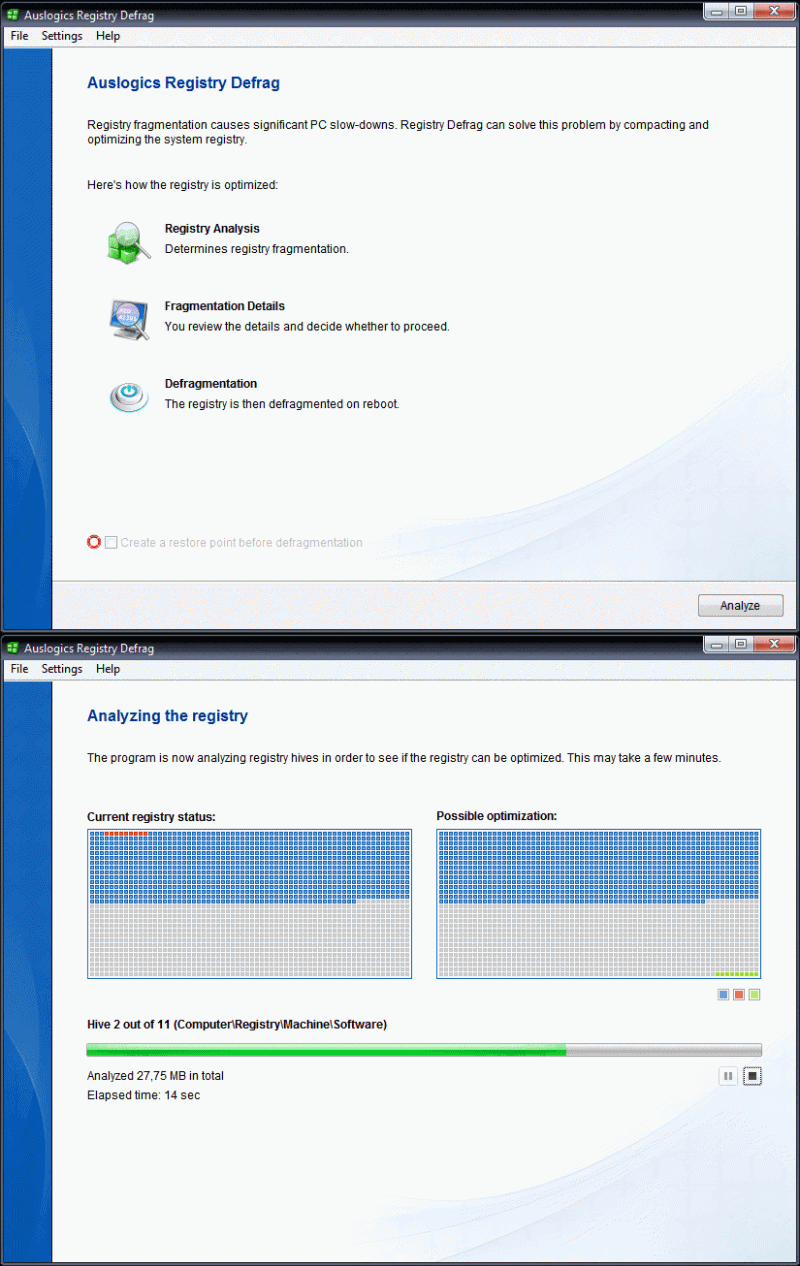
Auslogics Registry Defrag defragments and compacts the Windows Registry in less than a minute. It scans through the registry to remove slack spaces, reducing the registry size and ultimately the amount of RAM the registry takes up, improving drive performance.
Note: Speed benefits on a SSD-based (flash media) installation will be minimal.
| Category: | |
| Runs on: | Win2K / WinXP / Vista / Win7 / Win8 / Win10 / Win11 |
| Writes settings to: | Windows registry. |
| Stealth: ? | No |
| Unicode support: | Yes |
| License: | Freeware |
| How to extract: |
|
| What's new? | See: https://www.auslogics.com/en/software/registry-defrag/ajax/history/ |
| Latest comments |
Pax
on 2010-12-25 18:36
My only experience with a registry defragger left my system unable to boot (used backup registry to fix). I'm not writing this to take a cheap shot at the makers of this app but I think a better explanation is needed on their web pages. Most of the 'bullet-point' features sound like hype (reduce size, windows=faster, performance=faster).
lautrepay
on 2012-07-18 02:48
See all
12›
The program is freeware again, but still not portable and won't run from external or network drives. |

RegScanner v2.71
Andrew Lee on 12 Jun 2022 Change history
- 98KB (uncompressed)
- Released on 8 Jun 2022
- Suggested by FlightGeek
RegScanner scans the Windows registry for values that match a specific search criteria and displays them in one single list for editing and viewing. No longer do you have to press F3 indefinitely to locate the right value. The list can also be exported into a .REG file that can be used in RegEdit.
| Category: | |
| Runs on: | Win98 / WinME / WinNT / Win2K / WinXP / Vista / Win7 / Win8 / Win10 |
| Writes settings to: | Application folder |
| Stealth: ? | Yes |
| Unicode support: | Yes |
| License: | Freeware |
| How to extract: | Download the ZIP package and extract to a folder of your choice. Launch RegScanner.exe. |
| What's new? |
|
| Latest comments |
Special
on 2020-06-04 16:53
See all
10›
This version (v2.50) doesn't acknowledge my regscanner.ini... Doesn't even create a new one either. Going back to the preview version works fine though. |

USB Oblivion v1.17.0.0
webfork on 30 Nov 2021 Change history
- 5MB (uncompressed)
- Released on 29 Nov 2021
- Suggested by I am Baas
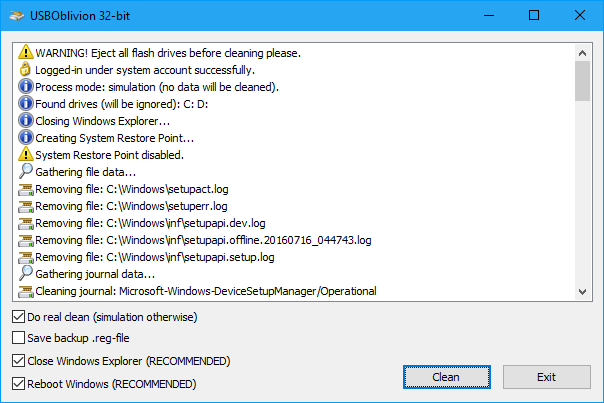
USB Oblivion erases all traces of USB-connected devices, drives, and CD-ROMs from the registry. Since Windows keeps a record of all devices attached, this is useful both for privacy and for users who prefer "stealth" software.
| Category: | |
| Runs on: | Win2K / WinXP / Vista / Win7 / Win8 / Win10 |
| Writes settings to: | None |
| Dependencies: | Administrator rights |
| Stealth: ? | No. Creates setupapi.app.log in Windows\inf during run but then removes it. |
| Unicode support: | Yes |
| License: | GNU GPLv2 |
| How to extract: | Download the ZIP package and extract to a folder of your choice. Launch USBOblivion32.exe or USBOblivion64.exe if using a 64-bit OS. |
| Similar/alternative apps: | DriveCleanup |
| What's new? | https://www.cherubicsoft.com/en/projects/usboblivion/versions |
| Latest comments |
GMBudwrench
on 2020-07-14 23:40
hamasaki, on a whim, I renamed the 0 file, adding the zip file association name. That worked.
webfork
on 2020-07-19 00:15
See all
14›
Thanks @zorro and @GMBudwrench - confirmed status and added a note to extract instructions. |

DriveCleanup v1.6.1
billon on 10 May 2020 Change history
- 99KB (uncompressed)
- Released on 10 May 2020
- Suggested by guinness
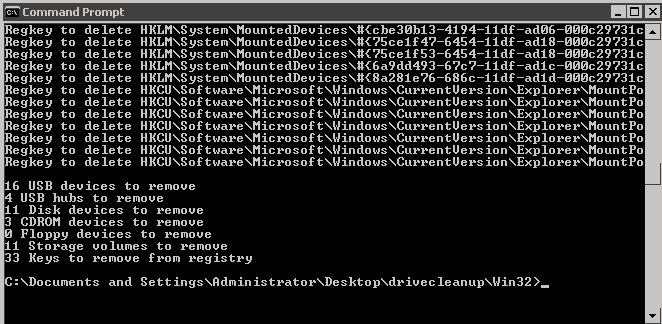
DriveCleanup removes all currently non present "Storage Volumes", "Disk", "CDROM", "Floppy" USB drives and their USB devices from the device tree. Furthermore it removes orphaned registry items related to these device types. Both are not removed by similar programs on the site and take up space on the registry, eventually slow down a computer over time.
To preview program actions, start with argument -T (test mode).
A 64-bit version is available (within the folder).
| Category: | |
| Runs on: | WinXP / Vista / Win7 / Win8 / Win10 |
| Writes settings to: | None |
| Dependencies: | Administrator rights |
| Stealth: ? | Yes |
| License: | Freeware |
| How to extract: | Download the ZIP package and extract to a folder of your choice. Launch DriveCleanup.exe either in the Win32 folder or x64 folder for a 64-bit OS |
| Similar/alternative apps: | USB Oblivion |
| What's new? |
See: https://www.uwe-sieber.de/drivetools_e.html#drivecleanup |
| Latest comments | See all 7› |