Categories /
System - Registry (29)
- Newer first
- Display 510 2550100entries
-


Regshot v1.9.0
Midas on 28 May 2017 Change history
- 129KB (uncompressed)
- Released on 2 Feb 2013
- Suggested by Crash
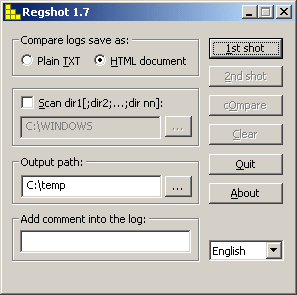
Regshot is a small registry compare utility that allows you to take a snapshot of your registry make changes to your system (such as installing a program) and then taking a second snapshot to compare. The comparison report can be produced in text or HTML format and contains a list of all modifications that have taken place between the first and second snapshot. In addition, you can also specify folders (with subfolders) to be scanned for changes as well.
Alternatively, RegShot Portable automatically switches between 32 and 64-bit and adjusts paths.
| Category: | |
| Runs on: | Win95 / Win98 / WinME / WinNT / Win2K / WinXP / Vista |
| Writes settings to: | Application folder |
| Stealth: ? | Yes |
| License: | GPL |
| How to extract: |
Download the source + binary ZIP package and extract to a folder of your choice. Launch regshot.exe. Optionally, delete the src subfolder. |
| Similar/alternative apps: | Regshot2 Unicode |
| What's new? |
|
| Latest comments |
JohnTHaller
on 2013-06-25 20:04
See all
25›
robertcollier4 - The Regshot2 you are posting about is a different app. It's either a totally different freeware app that copied the layout or an app illegally using the real Regshot's code as a base and not distributing the newer source as required by the GPL. Either way, this entry is about the real Regshot, which is open source, Unicode, portable and has 32-bit and 64-bit versions (the PortableApps.com version even switches between them automatically). It's also under active development unlike 'RegShot2' which is abandoned. |

What Changed v1.07
lwc on 5 Aug 2019 Change history
- 96KB (uncompressed)
- Released on 9 Jul 2010
- Suggested by Easybeat
WhatChanged is a simple utility that searches for modified files and registry entries before and after a computer event.
- Take a snapshot
- Install/uninstall program, execute script, etc.
- Compare what changed since step 1.
| Category: | |
| Runs on: | Win95 / Win98 / WinME / WinNT / Win2K / WinXP |
| Writes settings to: | None |
| Stealth: ? | Yes |
| License: | Freeware |
| How to extract: | Download whatchanged.exe to a folder of your choice and launch. |
| What's new? | v1.07 includes performance enhancements. It also has some minor changes to the interface, including a new progress bar (only used during step #2 - compare snapshot). |
| Latest comments |
BigRin
on 2010-07-12 07:30
I am also interested in a simple alternative program.
billybob
on 2010-07-12 09:24
To previous commenters: if you take a snapshot of the entire PC (every file, all registry keys, etc), and then, many days later, you want a report of everything that changed, then naturally temporary files must be created to persistently track the changes from the original snapshot. This app is not meant to be "ultra-small-USB-stick" portable. Not sure what kind of alternative would be possible. Also, if you want to see all changes, and there were 90,000+ new reg keys, it's not the fault of WhatChanged that there is so much output (Richard is right about this). You can choose to view the output in whatever program you want (and Firefox is not a giant text database viewer).
juverax
on 2024-03-17 13:49
See all
8›
It looks like this is the app available from https://portableapps.com/apps/utilities/whatchanged-portable |

CleanAfterMe v1.37
Checker on 21 Mar 2014 Change history
- 60KB (uncompressed)
- Released on
- Suggested by spaztastic
CleanAfterMe allows you to easily clean files and registry entries automatically created by Windows during regular computer activity. You can clean the cookies/history/cache/passwords of Internet Explorer, the 'Recent' folder, the last opened files, temporary Windows folders, the event logs, the Recycle Bin etc.
The program includes an optional basic wipe of deleted files for extra security.
| Category: | |
| Runs on: | Win2K / WinXP / Vista |
| Writes settings to: | Application folder |
| Stealth: ? | Yes |
| License: | Freeware |
| How to extract: | Download the ZIP package and extract to a folder of your choice. Launch CleanAfterMe.exe. |
| What's new? |
|
| Latest comments |
NirSoft fan
on 2008-12-14 05:25
From the app's version history:
Indie
on 2008-12-14 06:38
Thanks all.
webfork
on 2010-10-05 18:31
See all
9›
I ran 3 other major cleaner programs here on the site (Bleechbit, CCleaner, and PureRA) and this program still found more to delete. If you're using an public computer, this seems to be THE program to run before you leave. |

RegistryViewer v1.3
billon on 12 Aug 2019 Change history
- 970KB (uncompressed)
- Released on 20 Jun 2017
- Suggested by Ennovy
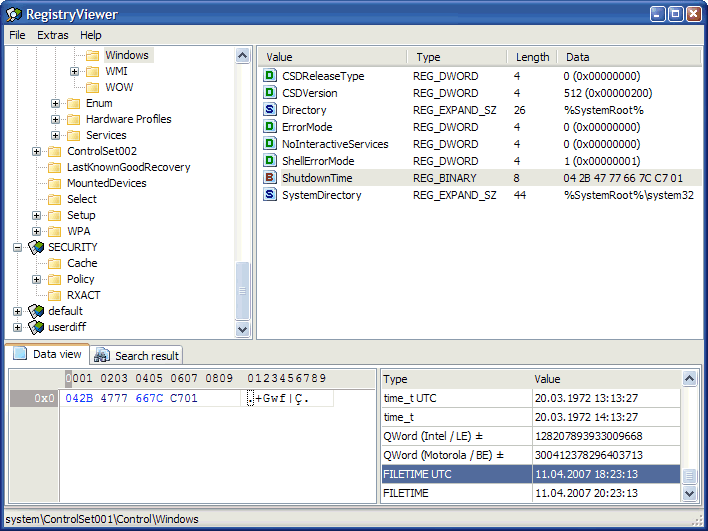
RegistryViewer can open raw Windows registry hive files. The file structure is shown similar to the Windows' own Registry editor and folders, keys, and values can be searched with values can displayed in hexadecimal form.
The registry files can be opened with drag-and-drop and all registry files including SYSTEM, SOFTWARE, SAM, NTUSER.DAT, SECURITY, USERDIFF and DEFAULT are supported.
| Category: | |
| Runs on: | Win2K / WinXP / Vista / Win7 / Win8 / Win10 |
| Writes settings to: | Application folder |
| Stealth: ? | Yes |
| Unicode support: | Partial |
| License: | Freeware |
| How to extract: |
Download the 7z package and extract to a folder of your choice. Launch RegView.exe. Optionally, delete unnecessary language files and flags images. |
| Similar/alternative apps: | Windows Registry Recovery, RawReg |
| What's new? |
|
| Latest comments |
Specular
on 2018-07-09 00:37
Used this program to successfully extract keys from an older backup of the Registry hive files. Followed an online guide which recommended it since it automatically tweaks the exported key file with the correct path for importing into the registry.
FireRabbit
on 2019-08-12 15:58
See all
16›
Update it's found on the directory page for old software: |

Registry Live Watch v1.0
Wolfghost on 5 Jun 2013 Change history
- 722KB (uncompressed)
- Released on
- Suggested by guinness
Registry Live Watch is a tool to monitor the activity of a registry key. The tool can run minimized on the system tray (notification area) and monitor a registry key (also sub keys and vlues) for any changes that might occur.
| Category: | |
| Runs on: | WinXP / Vista / Win7 |
| Writes settings to: | Application folder |
| Stealth: ? | Yes |
| License: | Freeware |
| How to extract: | Download the ZIP package and extract to a folder of your choice. Launch rgm.exe. |
| Latest comments | Add comment 1› |

Registry Tweaker v2.1.2 build 283
webfork on 7 Apr 2016 Change history
- 1MB (uncompressed)
- Released on
- Suggested by Fluffy
Registry Tweaker is a powerful application that allows you to access many obscure registry tweaks easily. It provides a nice description for each tweak as well, helping less technical users understand what each one does. It also supports profiles, which allow you to apply a predefined set of tweaks automatically.
Note: main site offline, linking to softpedia (thanks shnbwmn).
| Category: | |
| Runs on: | Win2K / WinXP |
| Writes settings to: | Application folder |
| Stealth: ? | Yes |
| License: | Freeware |
| How to extract: | Download the ZIP package and extract to a folder of your choice. Launch regtweak.exe. |
| Latest comments |
shnbwmn
on 2016-04-07 13:09
http://www.registrytweaker.net/ --> domain for sale. The website and download links should be changed to Lupo as above. Softpedia has the same build on their site (http://www.softpedia.com/get/Tweak/Registry-Tweak/Registry-Tweaker.shtml) but I'm not sure if Lupo's is different.
misan
on 2016-05-14 20:44
See all
14›
outdated |

SpyMe Tools v1.5.0
webfork on 18 Jun 2016 Change history
- 2MB (uncompressed)
- Released on
- Suggested by JohnW
SpyMe Tools help detect changes to the filesystem and registry by taking "before" and "after" snapshots of the system. The content of these snapshots can be visually displayed or two of them can be compared for differences to determine changes. SpyMe Tools also includes a real-time registry monitor that you can use to determine the registry access characteristics of any application.
Note: Website down, linking to Softpedia.
| Category: | |
| Runs on: | Win95 / Win98 / WinME / WinNT / Win2K / WinXP / Vista / Win7 / Win8 |
| Writes settings to: | Application folder |
| Stealth: ? | No. Writes to HKEY_LOCAL_MACHINE\SOFTWARE\Wow6432Node\LC IBros Solutions (thanks wolfghost) |
| License: | Freeware |
| How to extract: |
|
| Similar/alternative apps: | Regshot2 Unicode |
| Latest comments |
Pmiddy
on 2014-06-19 04:09
Site is for sale, not sure I want to try/use software that no longer has a website/support site. Just my 2¢. Not sure if webmaster wants to delete this program from the list of programs in their database.
Midas
on 2014-06-19 07:50
See all
7›
SpyMe Tools is still available from http://www.softpedia.com/get/PORTABLE-SOFTWARE/System/System-Enhancements/Windows-Portable-Applications-Portable-SpyMe-Tools.shtml ... |

ERUNT v1.1j
webfork on 18 Feb 2016 Change history
- 575KB (uncompressed)
- Released on
- Suggested by Michiel
ERUNT (Emergency Recovery Utility NT) creates a backup or restores your Windows registry. It also supports command-line switches so that automated registry backup can be performed without user interaction.
Alternatively, ERUNTgui is also available.
| Category: | |
| Runs on: | WinNT / Win2K / WinXP |
| Writes settings to: | None |
| Dependencies: | Administrator rights |
| License: | Freeware |
| How to extract: | Download the ZIP package (scroll down on the web page) and extract to a folder of your choice. Launch ERUNT.exe. |
| Latest comments |
Pepi
on 2007-01-16 23:55
There is NO zip file!
al
on 2007-01-17 01:12
There is an zip file just scroll down. Reading is hard...
misan
on 2016-05-14 20:47
Add comment
3›
new? |

NTREGOPT v1.1j
lwc on 2 Apr 2023 Change history
- 157KB (uncompressed)
- Released on 20 Oct 2005
- Suggested by Michiel
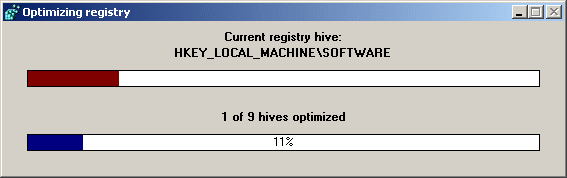
NTREGOPT (NT registry optimize) helps to compact the Windows registry by recreating each registry hive "from scratch", thus removing any slack space that may be left from previously modified or deleted keys.
Note: The program does NOT change the contents of the registry in any way, nor does it physically defrag the registry files on the drive.
| Category: | |
| Runs on: | WinNT / Win2K / WinXP |
| Writes settings to: | None |
| Dependencies: | Administrator rights |
| License: | Freeware |
| How to extract: | Download the ZIP package and extract to a folder of your choice. Launch NTREGOPT.exe. |
| Latest comments |
misan
on 2016-05-14 20:48
Add comment
1›
Works on Win7 64bit. |