

Multi Commander v13.5.2981 Updated
Ennovy on 30 Jan 2024 Change history
- 15MB (uncompressed)
- Released on 26 Jan 2024
- Suggested by I am Baas
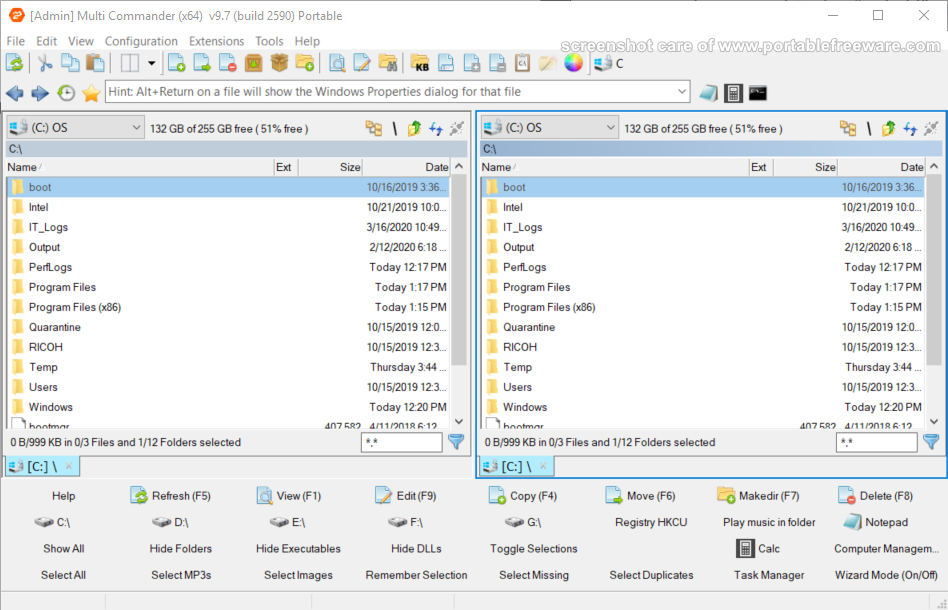
Multi Commander is a customizable, feature-rich and multi-tabbed file manager with a dual-pane layout. The program includes the standard file manager features with the ability to browse a variety of resources including local hard drives, network servers/shares, system registry and FTP (with SSL/TLS Support). Available tools include quick search, file verifier, splitter, audio, picture, clipboard, permissions and many more. The program can browse many archive formats like folders on your system (zip, tar, gz) as well as manage/open other formats (7z, RAR).
Includes intelligent functions that allow you to do advanced tasks with ease such as auto-unpacking, auto-sorting, internal file type associations, a powerful scripting engine for automation and command-line field.
| Category: | |
| Runs on: | Vista / Win7 / Win8 / Win10 / Win11 |
| Writes settings to: | Application folder |
| Stealth: ? | No. Some settings are written to the registry: HKEY_CURRENT_USER\SOFTWARE\MultiCommander |
| Unicode support: | Yes |
| Path portability: | Requires manual entry of relative path (eg. ..\..\personal\work.doc) |
| License: | Freeware |
| How to extract: | Download the "Portable version" ZIP package and extract to a folder of your choice. Launch MultiCommander.exe. |
| Similar/alternative apps: | FreeCommander XE |
| What's new? | See: https://multicommander.com/ChangeLog |
10 comments on Multi Commander


Ennovy
2020-11-24 08:51
Version 10 no longer supports Windows XP
Download latest XP Edition here: http://multicommander.com/downloads/XP
v9.7.0
apometron
2016-12-26 05:28
MultiCommander has a bug in log into other directories. I could not log into directories reliably. =( Check the directories you enter with MC!
v6.9
smaragdus
2015-02-02 09:06
Multi Commander 5.0.0 (Build 1888) has been released.
v4.6.2 (Build 1804)
cyrgh30
2014-08-24 06:02
This is my favorite file manager, very powerful but slow when a lot of small files are to copied/moved.
Also it creates its configuration files in user folders.
v4.5.1 (Build 1769)
hamasaki
2013-05-04 09:35
This is my preferred file manager and has all the features I need. Never any issues.
v3.1.0 (Build 1401)
rogerthedodger
2013-02-07 23:40
Looks pretty competent, but wow, it cant be called lightweight, over 350 files/folders on first use 13.5MB.
v2.8.2 (Build 1291)

Multi Commander unfortunately isn't stealth > creates MultiCommander-key in HKCU\Software. Could be triggered by some settings. Deleting apparently doesn't affect settings/functionality, but the key reappears on every start.
v13.5.2981