

Notepad2 v4.2.25
webfork on 20 Sep 2020 Change history
- 677KB (uncompressed)
- Released on 28 Oct 2012
- Suggested by justin
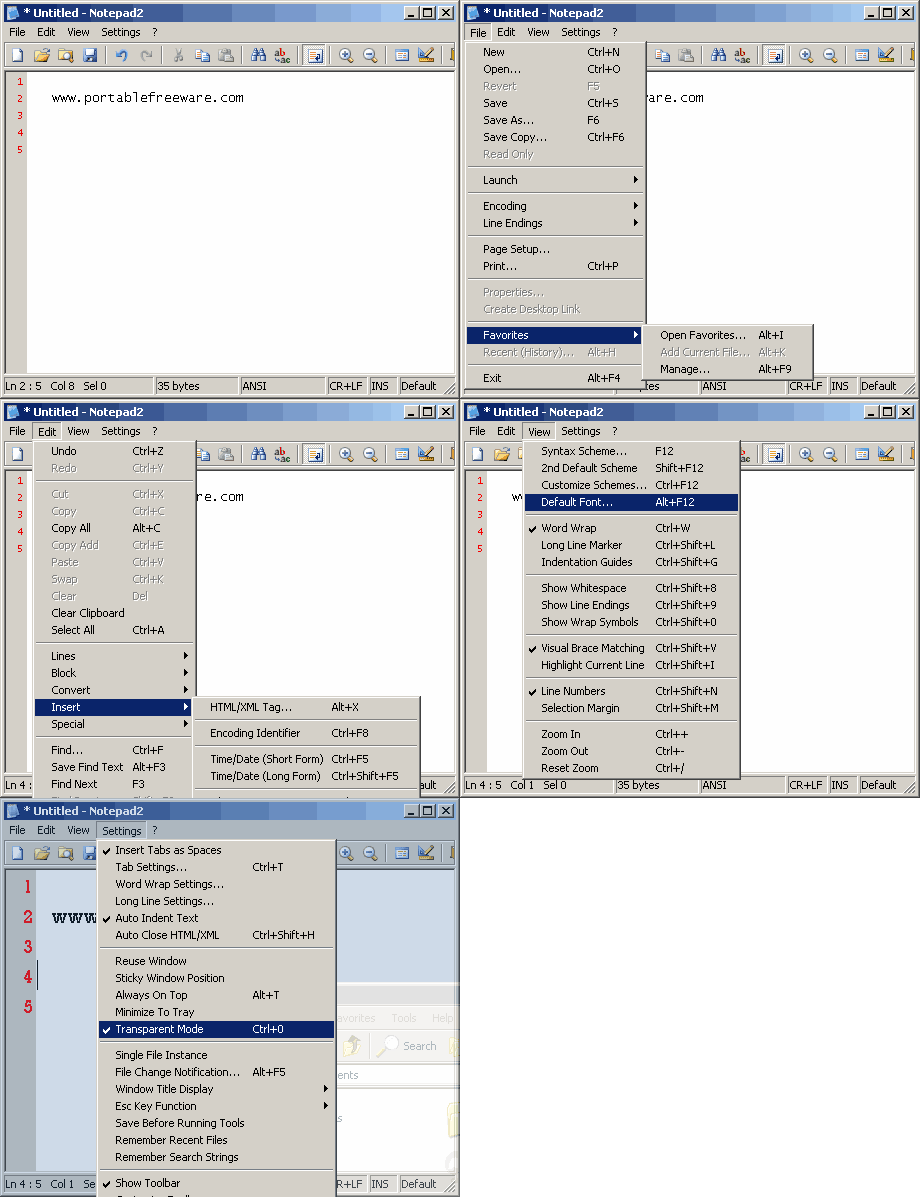
Notepad2 is a small and fast text editor with syntax highlighting for HTML and other common languages. It supports modeless find and replace dialogs, multi-line find and replace operations (using backslash expressions), optional file change notification, etc.
| Category: | |
| Runs on: | Win2K / WinXP / Vista / Win7 / Win8 |
| Writes settings to: | Application folder |
| Stealth: ? | Yes |
| Unicode support: | Yes |
| License: | BSD |
| How to extract: | Download the ZIP package and extract to a folder of your choice. Launch Notepad2.exe. |
| Similar/alternative apps: | EditPad Lite |
| What's new? |
Full changelog is at http://www.flos-freeware.ch/doc/Notepad2.txt. |
23 comments on Notepad2


Midas
2012-07-01 01:24
There's now a x64 build of Notepad2. But can someone please explain to me how to get the "Open shell links" feature, so strings like www.someurl.com or adress@server.net will launch when clicked in Notepad2?
V4.2.25
outskirter
2011-12-08 04:07
I dropped Notepad++ in favor of this one. Notepad++ is rapidly turning into bloatware. Notepad2 does not need plugins for its features, and so it is faster and much more compact, while still full of useful features.
Someone mentioned AkelPad. Some of its plugins don't work too well, and the syntax highlighting of HTML files isn't nearly as good as that of Notepad2.
V4.2.25
abacusFanboi
2011-05-08 09:16
metapad. ctrl+u to toggle 'transparent mode'. set 'transparency %' in settings.
V4.2.25
Magibon
2011-03-09 23:26
There is an updated version of Kliu's Modded version:
http://code.google.com/p/notepad2-mod/
I don't use it because it's unable to reuse the Taskbar Icon, even in Vista Compatibility mode.
V4.1.24
Magibon
2011-03-09 23:25
I prefer the Modded version by Kliu:
http://code.kliu.org/misc/notepad2/
he added a bunch of syntax support, transparency, cold folding, etc.
however, his version installs the '.ini' in "AppData/Roaming", to bypass Vista's Admin. Right's conflict.
Here's how i make it stealth:
- download '4.0.22-beta5'.
- run with /extract switch, to extract files without installing.
- delete everything except 'Notepad2.exe', and 'notepad2.ini'.
- Copy both files to desired folder and use.
If you want to replace Notepad with Notepad2:
Put this into txt file and save as '.reg', then double-click to add:
[HKEY_LOCAL_MACHINE\SOFTWARE\Microsoft\Windows NT\CurrentVersion\Image File Execution Options\notepad.exe]
"Debugger"="\"D:\\PortableApps\\Notepad2\\Notepad2.exe\" /z"
- Change the location to match yours.
64-Bit users must add a 2nd Reg Key:
Windows Registry Editor Version 5.00
[HKEY_LOCAL_MACHINE\SOFTWARE\Wow6432Node\Microsoft\Windows NT\CurrentVersion\Image File Execution Options\notepad.exe]
"Debugger"="\"D:\\PortableApps\\Notepad2\\Notepad2.exe\" /z"
- Again, change the location of Notepad2 to reflect yours.
- Now whenever you launch a text file or Notepad, it will launch Notepad2.
http://i52.tinypic.com/2euists.png
* also, if you are anal-retentive like me, and use the TaskBar Icon shortcut in Windows 7, Run Notepad2 in 'Vista' Compatibility Mode to force Notepad2 to reuse the Taskbar Icon.
V4.1.24
ignatius
2010-10-19 06:07
I came to that StNotepad is releasing as StNotepad Touch with multi-touch gestures for all text editing actions like cut, copy, paste, delete, space, backspace, enter, tab, undo, redo, selectall etc... For more information visit http://stforms.net/stnotepad-touch/
Lyx
2010-03-02 12:02
Wonderful simple little texteditor. If only it's support for syntax schemes were a bit more extensible (right now, you need to edit the sourcecode and recompile the app, just to add a syntax scheme).
Brooks
2010-01-15 06:04
I was looking for a notepad with Multitouch feature, to edit text in tablet mode on muli-touch tablet PC. I found that StNotepad 2 got this feature with very common and useful getures. Now I can edit text only with fingers no need of keyboard, mouse and stylus also.
ignatius
2009-10-22 04:46
I liked StNotepad very much, watch the video of it.
http://www.youtube.com/watch?v=9Fl392z1w74


I've tried them all over the years, including the modded version, but keep coming back to Flo's original. Small; fast; no distractions. Other notepad replacements often have too many options. The only thing I would add is a tabbed interface, but it's not a deal-breaker. Using the built-in Favourites and coupled with Flo's own metapath (http://www.portablefreeware.com/index.php?id=1701), it's almost perfect for the way I work.
v4.2.25