

Media Player Classic 6.4.9.1 Revision 107
Andrew Lee on 10 Apr 2020 Change history
- 4MB (uncompressed)
- Released on 23 May 2012
- Suggested by Andrew Lee
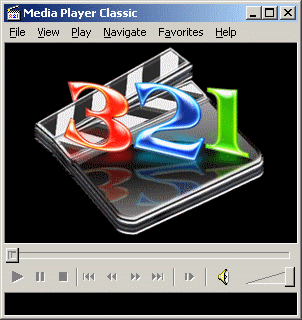
Media Player Classic is a powerful and efficient media player that appears as an earlier version of Windows Media Player. You can configure keyboard commands, configure/reorder/disable codecs/filters etc.
Note: There is another fork of Media Player Classic available called
Media Player Classic Home Cinema.
| Category: | |
| Runs on: | Win95 / Win98 / WinME / WinNT / Win2K / WinXP / Vista / Win7 / Win8 |
| Writes settings to: | Application folder |
| Dependencies: | GDIPLUS.DLL |
| Stealth: ? | No |
| Unicode support: | Yes. There are two versions of the player to choose from. The 98/ME version works on all versions of Windows but does not support Unicode. The 2K/XP version only works on WinNT and higher. |
| License: | GPL |
| How to extract: | Download the ZIP file and extract to a folder of your choice. Launch mplayerc.exe. Select View, Options, Player and check "Store settings to .ini file" to store settings in the application folder instead of the registry. |
| What's new? | Added Win7/8 Support |
17 comments on Media Player Classic


Aterdin
2009-09-03 12:50
MPC Homecinema now winPenPack portable app http://www.winpenpack.com/main/download.php?view.1228
In this version all play list and recent files paths are normalized.
dianoga
2009-09-01 17:11
Many new changes in the latest version of MPC-HC as jazzruby said. They even changed the exe name! I propose MPC-HC has its own entry now.
jazzruby
2009-08-28 00:13
Homecinema v1.3.1249.0 released yesterday. Still writes to Current_User\Software\Gabest\Filters, but it no longer creates "Media Player Classic" in %appdata%, it creates default.mpcpl in same folder as mpc and can be created/deleted like 'meh' said. The video renderer was set to EVR Custom Presenter on my Vista SP2 and complains about some DX9 Runtimes when opening videos. I have DX10 and by setting it to System Default it seems O.K.
aussiebuddha
2009-05-20 19:01
The version from tibrium.neuf.fr does not play realmedia .rmvb files.
Does anyone know a really portable version of this that plays everything as VLC?
meh
2009-01-13 02:03
You can disable the writing of defaul.mpcpl in %appdata% by going to "View" -> "Playlist" -> In the Context-Menu of the Playlist uncheck "Remember items".
Volgecherev
2008-08-30 07:12
The homecinema edition also supports hardware acceleration (dvxa). For me this is quite fantastic. My ATI HD3450 plays 1080p (nearly) without CPU resources. No need for PowerDVD or WinDVD any more.
JD
2008-03-17 06:24
And combining the above two (X-version and HomeCinema) will create the perfect one in my opinion.
I used the X-version on my stick and replaced the exe with (ok, almost 5meg bigger, but thats ok) the HomeCinema version.
Rick
2008-03-16 13:43
There is a version of this called "Media Player Classic - Home Cinema" that incorporates ffmpeg to decode formats that the original MPC will not, without addional codecs installed. http://tibrium.neuf.fr/. However, for some FLV files, I had to change the Playback Output DirectShow Video setting to "System Default" from the factory setting of "Overlay Mixer". Other than that, it looks and operates like the original.
Danix
2007-06-03 10:58
Here the link to download a really portable ("X") version that save the playlist mentioned in the \User folder. ;-)
http://www.winpenpack.com/main/download.php?view.199

If I am correct, creating an .ini file in the application folder with the same name as the .exe file (eg. mpc-hc.ini or mpc-hc64.ini) and with the first line reading [Settings] will make the application portable. All settings will be written to the ini file and default.mpcpl in the application folder. This will prevent settings to be written to the registry or to the %appdata% folder.