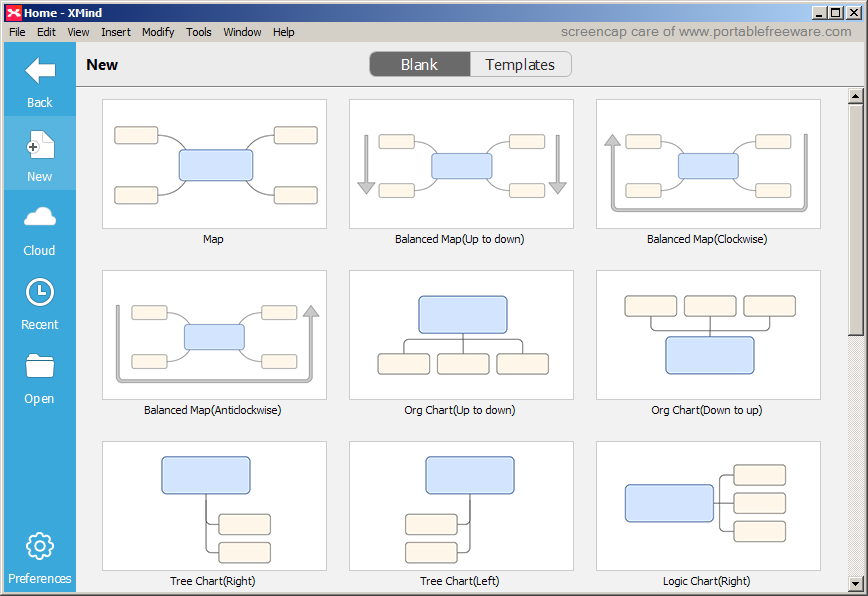
XMind v3.3.0 Updated

webfork on 16 Mar 2013
  • 144MB (uncompressed)
  • Suggested by Gannon8

X-Mind is a mind-mapping, flowchart, organizational chart, and diagramming program. It can be used for brain storming, illustrating or categorizing ideas, note taking, conceptualizing, and more. It supports drag-and-drop of elements, export to many different formats, and is compatible with most other mind-mapping programs.

Some advanced functions are restricted to the pro version.

Category:
System Requirements: WinXP / Vista / Win7
Writes settings to: None
Unicode support: Yes
License: Eclipse Public License 1.0
How to extract:
  1. Download the Portable ZIP version from web site and extract to a folder of your choice
  2. Optionally:
    • If not planning to run on other operating systems, delete XMind_Linux, XMind_Linux_64bit, and XMind_Mac_OS_X
    • If you are sure you'll have Java installed on any machine you use, you can delete the XMind_Windows\JRE folder (thanks mc)
  3. Open \XMind_Windows\xmind.exe
What's new? New features:
  • New business model
  • New Gantt Chart
  • Revision
  • Search content in xmind file on Mac via spotlight
  • Spellcheck view
  • Qiucklook attachment/image on Mac
Improvement:
  • Eclipse 3.7.2
    - 'Double click to open' works better and more stable
  • Support dragging file onto XMind icon to open on Mac
  • Portrait/Landscape options in 'Page Setup' dialog
  • New 'Extract and Apply' option after extracting theme.
  • Improve file save/open process
  • Improved performance after enabling auto save
  • Show proper error message after failure to export to PDF(map)
  • 'Upload' is renamed to 'Share'
  • While saving the preview image in xmind file, save file's center position at the same time.
  • Default format of preview image changed to PNG
  • The Open dialog points to Documents folder when being first used, and points to last time path in future usage.
  • Drill down into a topic, the Gantt chart shows only the current map's topics.
  • Internal browser works well on windows
  • Map won't scroll automatically when selecting multiple elements.
  • When opening a .xmind file using double click, no extra blank map will be open.
  • Use platform-specific solution to open file hyperlink/attachment.
  • Find/Replace no longer messes across editor and notes view.
  • When closing XMind, unsaved workbooks will be asked to save one by one instead of an aggregate dialog.
  • Improve the shortcuts under Brainstorming mode
  • Improve the proxy settings
  • Improve the new file dialog
  • Many other improvements, like new splash, new about dialog
Bugs:
  • Can't drag file into xmind as attachment on linux.
  • Default color of Notes view is white on linux.
  • Moving multiple floating topics at the same time, they will lose the relative postion.
  • In a drilled down map, after moving the central topic and a floating topic at the same time, the central topic will be lost when drilled back up.
  • Ctrl+s can not save the file in brainstorming mode
  • The date info in Taskinfo view does not update if always let xmind open
  • The status of new imported map from MindManager/FreeMind is saved. User can not save it directly unless making one modification.
  • Yes/No icons in Freemind become question mark marker after importing.
  • If there are topic links between sheets, xmind failed to export map to PDF(document).
  • Quotation marks in labels will cause exporting to Word/PPT fail.
  • The suggested file name will be not right when exporting a map with a multi-line titled central topic to PDF.
  • Spell mistake in the export dialog
  • On Windows, if setting the xmind portable as default program of .xmind files and double-clicking .xmind to open it,there will be special folder at the same level with that .xmind file.
  • Press shift key to select multiple topics, then copy and paste to another topic, the pasted topics' order is not right.
  • Some other small bugs

10 comments on XMind  The Portable Freeware Collection Latest Entries Feed

Prodigious Juggalo 2010-04-06 12:14

This is simply the best mind map software available. The export function also produces great reports! Most of the functionality is enabled and free and if you need the other functionality, the montly 1-time charge cost is cheap! I've purchased the 1-month option twice to use the extended functionality, but typically I don't need it as it is great as-is. Don't go by the examples on the website as they don't show the true power of this project. It is hard to believe that this is a portable app!

Andries 2010-04-10 21:22

I can agree that this is excellent mindmapping software, better options compared to for example freemind. On the other hand, freemind in combination with ToDoList is even better. Not as a stand-alone app, it is the combination of the apps.

Ian from Barrie 2010-09-17 03:06

137 mb??? This is a boat anchor.

webfork 2010-09-17 05:32

To save some space, try AppCompactor.

BJK 2010-09-17 09:20

When I have tried to download the exe-file, I have got the error message that I have no rights to download.
Why?

Ian from Barrie 2010-09-17 13:06

AppCompactor shrank the app by about 1/3 using conservative settings with no obvious ill effects. Still about 100MB, though - the size of a well-dressed WAMP package. That's a big byte out of a small USB stick, and unless you want the functionality, I agree with Andries' suggestion. Notwithstanding, I AM keeping it on my hard drive. Very nice.

mc 2010-09-19 03:57

If you have Java installed on the Windows computers you usually use, then you can delete the JRE folder under XMind_Windows. With AppCompactor and deleting JRE, the size reduces to about 47 MB.

webfork 2011-01-03 17:56

To avoid downloading the Mac and Linux components and save a lot of bandwidth, use Free Download Manager's zip preview function http://www.portablefreeware.com/index.php?id=1364

Guna KS 2011-02-19 12:12

One of the amazing software that I've used . . Good job, guys . . .

V3.2.1

webfork 2011-06-27 18:46

Youtube user put together a great series of tutorials on xmind: http://www.youtube.com/user/frankshakaxmind#p/u

V3.2.1

Post your comment