

Large Text File Viewer v5.2u
billon on 12 Sep 2017 Change history
- 690KB (uncompressed)
- Released on 5 Jun 2009
- Suggested by dasfx
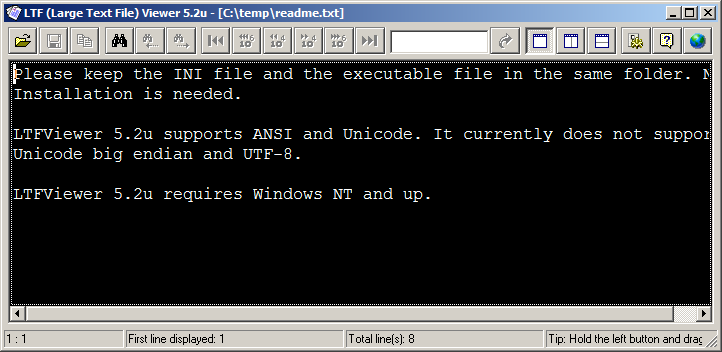
Large Text File Viewer is designed for viewing large text files. It uses little memory and is able to open very large files (> 1GB) instantly. Background file indexing makes browsing even faster. It also allows the user to perform high-speed complex text search by means of plain text or regular expression.
Note: main site offline - linking to Archive.org.
| Category: | |
| Runs on: | WinNT / Win2K / WinXP / Vista / Win7 / Win8 / Win10 |
| Writes settings to: | Application folder |
| Stealth: ? | Yes |
| Unicode support: | Partial. The program supports UTF-16 Little-endian (UCS-2 LE) but not Unicode Big-endian and UTF-8. |
| License: | Freeware |
| How to extract: |
Download the ZIP package and extract to a folder of your choice. Launch LTFViewr5u.exe. Optionally, delete the included JPG files, which form a tiled window background. |
| What's new? |
Fixed:
|
21 comments on Large Text File Viewer


abc
2011-08-11 17:24
Fast indeed, almost fits my needs except...
* Opening a non-ascii file such as an NOTEPAD.EXE - A bug resets the colors back to the default settings.
* Non-ascii characters are are displayed incorrectly
* Large files gives us a tiny ass and inaccurate scrollbar
* Very very slow scrolling for keyboard users [up/down], no home/end keys
* No hotkey configuration
Despite that it's WAAAAY better than trying to view large files with notepad/notepad++.
V5.2
Impressed!
2011-03-30 06:57
Thank you! Thank you! Thank you!
Opened 800MB+ log files was never so quick and easy!
V5.2
Comma Chameleon
2011-02-14 10:23
Very Good, fast and unique.
235MB file OK in 8 seconds. (XP Sp3)
That's 1.8 million lines with 20 CSV fields on each.
The brilliant way it shows the field name in CSV (Comma Separated Value) files
when you hover over the data is very indispensable for large file work.
Gihan
2011-02-13 15:34
Cannot open 300kb file. Suck. Not responding

0/10 unable to open file with 1 billion characters
v5.2u