

Process Monitor v4.01 Updated
Ennovy on 21 Jun 2024 Change history
- 10MB (uncompressed)
- Released on 20 Jun 2024
- Suggested by ClausValca
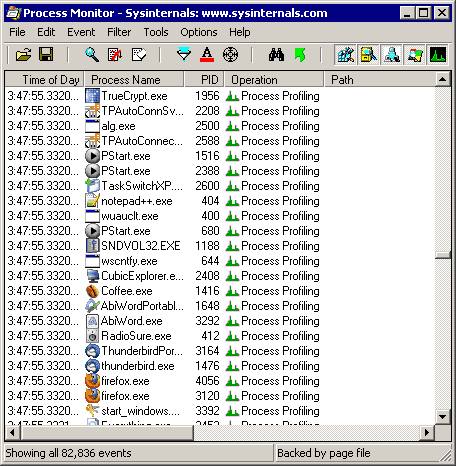
Process Monitor displays both file system and registry activities in real-time, combining the features of FileMon and RegMon. Additional features includes live changes (autoscroll), non-destructive filtering, comprehensive event properties such session IDs and user names, reliable process information, full thread stacks with integrated symbol support for each operation, file logging etc.
Alternatively, Process Monitor Portable is also available, which is stealth.
| Category: | |
| Runs on: | Vista / Win7 / Win8 / Win10 / Win11 |
| Writes settings to: | Windows registry |
| Dependencies: | Administrator rights |
| Stealth: ? | No |
| Unicode support: | Yes |
| License: | Freeware |
| How to extract: |
|
| Similar/alternative apps: | Moo0 File Monitor |
| What's new? | https://docs.microsoft.com/en-us/sysinternals/#whats-new-rss-icon |
16 comments on Process Monitor


MIKLO
2016-08-29 18:10
@ __philippe do you know is there gonna be any effort made to correct this? I'm kinda surprised cuz I have always thought of SysInternals as being a first rate top notch entity, but they are not showing that in this case.Even if the changelogs are only interesting or necessary to a few people in my opinion that reason enough to continue with accurate data.
MIKLO
v3.31
__philippe
2016-07-29 13:17
Annoyingly, SysInternals' powers-that-be no longer deem worth their while to provide a changelog of their recent releases.
Current cases in point: ProcessMonitor v3.30, AutoRuns v13.62,
Sloppy version control management, if you ask me...:-(
On a positive point, they resumed adjusting correctly the internal PE tags version numbering of their updated utilities, which proved rather baffling for a while
(see smaragdus' related post:
http://www.portablefreeware.com/forums/viewtopic.php?p=82073#p82073
Regrettably, some of SysInternals' recently updated tools now fail to run under WinXP......:-(
(e.g. Procmon v3.30 fails under winXP, despite the "Process Monitor runs on Windows XP SP2"
plain statement found in the Procmon.chm HTML help file)
Cases in point:
ProcessMonitor fails as of v3.30 (blue screen crash, last XP working version v3.20)
SigCheck fails as of v2.40 (last XP working version v2.30)
v3.30
__philippe
2015-05-27 14:49
Process Monitor v3.2 (released 26-May-2015)
Changelog
- adds an option to show all file system values in hexadecimal
- adds additional error code and file system control strings
- fixes a bug that prevented boot capture on Windows 10.
v3.1
webfork
2012-04-17 23:41
shodan816: plz post in forums the registry settings in question. Thnx.
V3.01
shodan816
2012-04-17 17:03
I would really like to know why this is considered 'PORTABLE freeware' when it writes it's settings to the system registry. Anyone?!
V3.01
Fox Cole
2009-03-28 13:34
On Vista Home Premium, it runs out of memory... can't allocate a memory block of 459893316; closing the error closes the program. This shouldn't be happening.
a
2008-11-03 07:56
Installs a driver and writes it's settings in the registry. Not portable by my standards. Quite a few times Windows XP has crashed/restarted after using new sysinternals software. Maybe it's an incompatibility with older software that has been used, I'll never know, What I do know is I will stick to the older releases. Process Explorer is indispensable.
linuxamp
2008-10-06 18:39
It seems that this warning will continue to nag you upon launch unless you actually install the debugging tools which you may never otherwise use. Very irritating.

The last version I could see working in XP is 3.61 -no link to probe it :P
v3.80