Search results (34)
- Newer first
- Display 510 2550100entries
-


SlickRun v4.5.1.0
Andrew Lee on 8 Nov 2023 Change history
- 3MB (uncompressed)
- Released on 6 Nov 2023
- Suggested by tproli
SlickRun is a floating keyword utility that allows you to create command aliases, or "MagicWords" that launch applications or URLs. For example, "browse" can be set to open Firefox, "note" to open Notepad, and more. You can type an application's path or location as well.
The program includes its own notepad program opened by typing "jot", but major applications such as MS Office and Online Shopping resources can be added using add-on packs available on the website.
SlickRun supports auto-completion, relative paths and drive letter macro for improved portability.
| Category: | |
| Runs on: | WinXP / Vista / Win7 / Win8 / Win10 |
| Writes settings to: | Application folder |
| Stealth: ? | No. It creates a lone working registry entry that does not impact portability of settings at all. |
| Unicode support: | Yes. for Jot, history, autocomplete, $W$, etc. |
| Path portability: | Requires manual entry of relative path (eg. ..\..\personal\work.doc) |
| License: | Freeware |
| How to extract: |
|
| What's new? | See: https://bayden.com/SlickRun/updates.asp |
| Latest comments |
Ennovy
on 2023-11-06 14:52
Softpedia reports an update to v4.5.1.0 but the homepage is not available at the moment
Andrew Lee
on 2023-11-08 00:20
See all
35›
@Ennovy: I was able to access the home page and verified that it was updated to v4.5.1.0 on 6 Nov 2023. |

BleachBit v4.6.0
rbon on 6 Nov 2023 Change history
- 16MB (uncompressed)
- Released on 5 Nov 2023
- Suggested by guinness
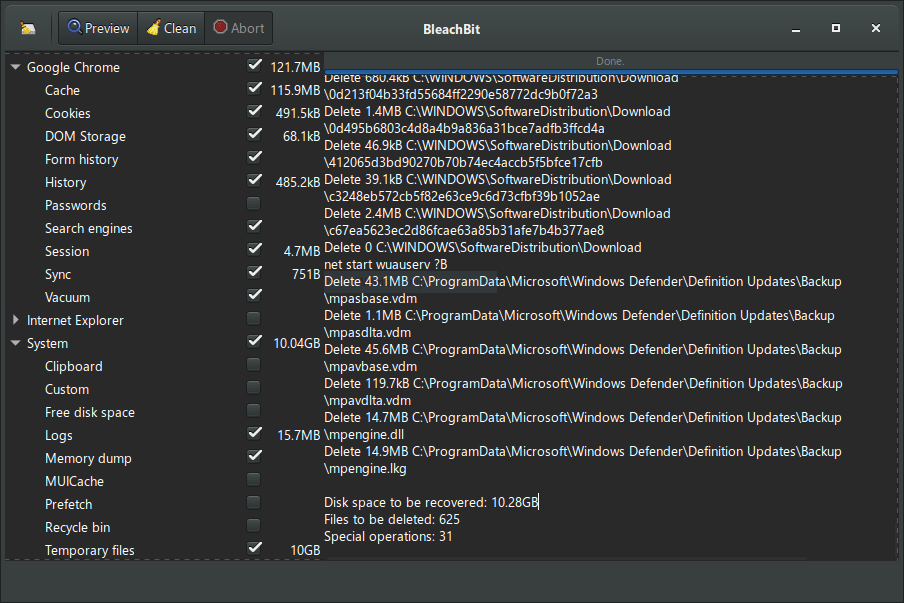
BleachBit quickly frees disk space, removes hidden junk and safeguards your privacy. You can erase cache, Internet history, cookies (including the much-maligned "evercookie"), DOM storage, unused localizations and temporary files of 70 applications including Firefox, Internet Explorer, Flash, Google Chrome, Opera, Safari, Adobe Reader, APT and more. Additional applications can be added with the community authored winapp2.ini cleaner list in the Preferences - General tab (requires restart).
Includes wipe function to protect privacy, support for many languages, and available for Linux and Mac OS X.
| Category: | |
| Runs on: | Vista / Win7 / Win8 / Win10 / Win11 |
| Writes settings to: | Application folder |
| Dependencies: | Administrator rights |
| License: | GNU GPLv3 |
| How to extract: | Download the "portable" ZIP package and extract to a folder of your choice. Launch bleachbit.exe. |
| Similar/alternative apps: | CCleaner |
| What's new? |
See: https://www.bleachbit.org/news |
| Latest comments |
zorro
on 2020-03-15 15:13
BleachBit seems to leave traces in the last version (3.2) - after first run I found the folder ".dbus-keyrings" in the root of C:\USERS\user\
DzejPy
on 2023-12-05 05:55
See all
20›
Bleachbit portable downloaded using the link (from the home page) does not contain the msvcr100.dll file - without it the program cannot be run. |

Tor Browser v13.0
Andrew Lee on 14 Oct 2023 Change history
- 261MB (uncompressed)
- Released on 13 Oct 2023
- Suggested by M@tty
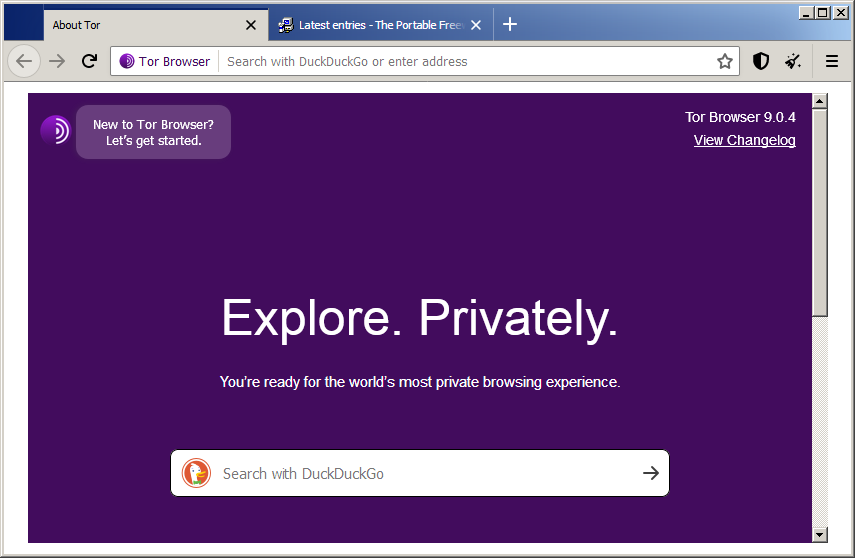
Tor Browser enables secure, anonymous web access to help bypass various forms of censorship, region-blocking, and tracking. The program uses a modified version of the Firefox ESR browser with additional privacy and security features, including always-on access to an anonymous network and no usage history.
Components include the Vidalia Tor client and the NoScript and HTTPS Everywhere add-ons to enhance privacy. The program is the official browser bundle from the makers of Tor.
Functional in 64-bit. Cross-platform with clients available for Mac and Linux.
| Category: | |
| Runs on: | Win7 / Win8 / Win10 / Win11 |
| Writes settings to: | Application folder |
| Unicode support: | Yes |
| License: | Freeware/Open Source |
| How to extract: |
|
| Similar/alternative apps: | Advanced Onion Router |
| What's new? | See: https://blog.torproject.org/category/releases/ |
| Latest comments |
smaragdus
on 2015-09-05 03:36
I needed to connect to an onion site and downloaded the latest version (5.0.2) but Australis makes Tor Browser absolutely terrible and unusable- I do not want to install heaps of add-ons just to restore features the Mozilla idiots removed. I had an earlier version of Tor Browser (3.6.0- before the advent of the abominable Australis) but the perpetual blinking of the Tor button urging for update is unbearable and cannot be disabled. It can be removed from the tool-bar but this way one cannot acquire new identities.
rbon
on 2018-09-22 16:46
See all
6›
Starting from version 8.0 Tor project builds both version of TorBrowser: 32 bit and 64 bit. |

BrowserDownloadsView v1.45
Andrew Lee on 19 Aug 2023 Change history
- 384KB (uncompressed)
- Released on 17 Aug 2023
- Suggested by Special
BrowserDownloadsView displays information on both Firefox and Chromium-based browsers downloads. Displayed elements include filename, download/web page URL, start and end time, duration, size, specific browser and more. You can also calculate the MD5/SHA1/SHA256/SHA512 hash of the downloaded files.
The program will show a list of downloads from your user profile or all visible user profiles, as well as from from networked computers or an external hard drive. Details can be exported to to many formats including CSV, HTML, XML and JSON.
| Category: | |
| Runs on: | WinXP / Vista / Win7 / Win8 / Win10 |
| Writes settings to: | Application folder |
| Unicode support: | Yes |
| License: | Freeware |
| How to extract: | Download the ZIP package and extract to a folder of your choice. Launch BrowserDownloadsView.exe. |
| Similar/alternative apps: | FirefoxDownloadsView |
| What's new? |
|

K-Meleon v76.4G
Stephen Leibowitz on 16 Jun 2023 Change history
- 65MB (uncompressed)
- Released on 12 Feb 2021
- Suggested by BigD
K-Meleon is a fast, customizable, and lightweight alternative web browser that supports tabs, tools and skins, and can be configured to work with common extensions like Adblock.
K-Meleon is based on a fork of the Gecko layout engine used by Firefox. Development can seem erratic due to lack of resources but K-Meleon has seen continuous development since the 90's (v0.7 was released in 2003).
K-Meleon Portable also available from PortableApps.com.
| Category: | |
| Runs on: | WinXP / Vista / Win7 / Win8 / Win10 |
| Writes settings to: | Application folder |
| Stealth: ? | No. Leaves APPDATA\Mozilla\Extensions |
| Unicode support: | Yes |
| License: | GPL v2 |
| How to extract: |
|
| Similar/alternative apps: | Firefox, SeaMonkey |
| What's new? | Latest changelog at https://rtfreesoft.blogspot.com/search/label/browser. |
| Latest comments |
aazard
on 2020-11-15 16:26
Goanna engine version is 100% PWA able, but you need to save "link" manually (no "install to desktop" support).
aazard
on 2020-11-15 17:06
Correction & Note:
hamasaki
on 2022-09-28 04:30
See all
44›
Every https page fails with certificate errors in K-Meleon for some reason. |

SeaMonkey, Portable Edition v2.53.15
freakazoid on 29 Jan 2023 Change history
- 79MB (uncompressed)
- Released on 24 Jan 2023
- Suggested by loin2kolpotoru
SeaMonkey is a complete internet suite with web browser, email & newsgroup client with an included web feed reader, easy HTML editor, IRC chat and web development tools. The browser supports fine-grained controls over images, cookies and more on a per-site basis. Based on Netscape Communicator and then Mozilla Suite, this software bundle includes many technologies used in Mozilla Firefox and Thunderbird and supports many of their add-ons.
SeaMonkey, Portable Edition is a version of the software from PortableApps.com and works automatically with web-based Java apps if their jPortable tool is present.
For those using Windows XP and Vista, the last supported version was 2.49.5.
| Category: | |
| Runs on: | Win7 / Win8 / Win10 / Win11 / Wine |
| Writes settings to: | Application folder |
| Stealth: ? | Yes |
| Unicode support: | Yes |
| Path portability: | Automatic relative path (eg. ..\..\personal\work.doc) |
| License: | Freeware/Open Source |
| How to extract: | Download the self-extracting EXE and extract to a folder of your choice. Launch SeaMonkeyPortable.exe. |
| Similar/alternative apps: | Mozilla Firefox, Pale Moon Portable, Opera |
| What's new? |
See: https://www.seamonkey-project.org/releases/seamonkey2.53.14/ |
| Latest comments |
Midas
on 2020-10-21 14:38
For details on why Seamonkey Portable isn't being updated, please see https://portableapps.com/node/60496.
loin2kolpotoru
on 2021-01-30 07:56
Entry should be updated Seamonkey is no longer compatible with XP
freakazoid
on 2021-01-30 13:14
See all
14›
@loin2kolpotoru I've updated the compatibility field and added a note about last supported XP/Vista version. |

WebBrowserPassView v2.12
Andrew Lee on 11 Dec 2022 Change history
- 607KB (uncompressed)
- Released on 11 Dec 2022
- Suggested by guinness
WebBrowserPassView is a password recovery tool that reveals the passwords stored by Internet Explorer, Firefox-based and Chromium-based Web browsers. This tool can be used to recover your lost/forgotten password of any website, including popular Web sites, like Facebook, Yahoo, Google, and GMail, as long as the password is stored by your Web Browser.
Currently, WebBrowserPassView cannot retrieve the passwords if they are encrypted with a master password.
To work with Chrome and Opera portable versions, go to 'options' and set the location of the portable browser folder. Select the user data folder in Chrome, and wand.dat for Opera. (Thanks to user "deer".)
| Category: | |
| Runs on: | Win2K / WinXP / Vista / Win7 / Win8 / Win10 |
| Writes settings to: | Application folder |
| Stealth: ? | Yes |
| Unicode support: | Yes |
| License: | Freeware |
| How to extract: | Download the ZIP package and extract to a folder of your choice. Launch WebBrowserPassView.exe. |
| Similar/alternative apps: | PasswordFox, IE PassView, ChromePass, OperaPassView |
| What's new? |
|
| Latest comments |
chdchan
on 2015-09-23 03:14
Portable browser e.g. Firefox's passwords can be viewed by manually setting Options->Advanced Options:
IanFromBarrie
on 2015-12-30 02:15
See all
9›
Download link is incorrect: |

MZCacheView v2.21
Andrew Lee on 21 Oct 2022 Change history
- 181KB (uncompressed)
- Released on 20 Oct 2022
- Suggested by ClausValca
MZCacheView reads the cache folder of Firefox/Mozilla/Netscape Web browsers and displays the list of all files currently stored in the cache. For each cache file, the following is displayed: URL, Content type, File size, Last modified time, Last fetched time, Expiration time, Fetch count, Server name and more. You can select one or more items from the cache list and then extract the files to another folder, or copy the URLs list to the clipboard.
| Category: | |
| Runs on: | Win98 / WinME / WinNT / Win2K / WinXP / Vista / Win7 / Win8 / Win10 |
| Writes settings to: | Application folder |
| Stealth: ? | Yes |
| Unicode support: | Yes |
| License: | Freeware |
| How to extract: | Download the ZIP package and extract to a folder of your choice. Launch MZCacheView.exe. |
| What's new? |
|

StorURL v3.0.36.8
Ennovy on 13 May 2022 Change history
- 3MB (uncompressed)
- Released on 12 May 2022
- Suggested by Andrew Lee
StorURL is a customizable bookmark manager that can import from most popular browsers or add manually. Bookmarks can be then organized in a unlimited number of categories. The program includes verification, the ability to launch in a custom browser, grab website icons, search, always remain on top, minimize to tray (with bookmarks launched from the tray), floating tool-bar, password-protection and more.
Supported browsers include Firefox, Internet Explorer, Google Chrome and Opera. Bookmarks can also be imported from StorURL Online if registered.
| Category: | |
| Runs on: | WinXP / Vista / Win7 / Win8 / Win10 |
| Writes settings to: | Application folder |
| Dependencies: |
Microsoft .NET Framework 3.5 MS Visual C++ 2005 SP 1 Redist Package MFC Security Update |
| Unicode support: | Yes |
| License: | Freeware |
| How to extract: | Download the "Portable Edition" ZIP package and extract to a folder of your choice. Launch StorURL.exe. |
| Similar/alternative apps: | FavoritesView, URL Monit@r |
| What's new? | See: https://updates.haztek-software.com/changes.php?appid=1 |
| Latest comments |
smaragdus
on 2017-06-20 06:49
StorURL may work under Windows XP/Windows Vista, testing and confirmation would be welcome.
pfw70
on 2021-03-01 08:25
Add comment
3›
Info - one needs to install Visual C++ Runtime first. |

WebCacheImageInfo v1.34
Andrew Lee on 8 Feb 2022 Change history
- 81KB (uncompressed)
- Released on 6 Feb 2022
- Suggested by Checker
WebCacheImageInfo searches for JPEG images with metadata stored inside the cache of your Web browser (Internet Explorer, Firefox-based and Chromium-based) and then displays the list of all images found in the cache.
Image information (EXIF data) includes software that was used to create the image, the camera model that was used to take the picture, and the date/time that the image was created.
Note: If the browser is configured to remove the cache on close, WebCacheImageInfo will not find any data.
| Category: | |
| Runs on: | WinXP / Vista / Win7 / Win8 / Win10 |
| Writes settings to: | Application folder |
| Stealth: ? | Yes |
| Unicode support: | Yes |
| License: | Freeware |
| How to extract: | Download the ZIP package and extract to a folder of your choice. Launch WebCacheImageInfo.exe. |
| What's new? |
|
| Latest comments | Add comment 1› |