Latest entries (500)
- Newer first
- Display 510 2550100entries
-


Agent Ransack Lite v2022 Build 3434 Updated
Ennovy on 25 Apr 2024 Change history
- 156MB (uncompressed)
- Released on 25 Apr 2024
- Suggested by portackager
Agent Ransack (aka File Locator) Lite looks for files and file contents on your PC or network drives, with filters for dates and size. Includes themes, tabbed search entries, preview window, and search priority. Search types supported include wildcard, boolean, and regex on both filenames and file internals. You can import/export search criteria and export detailed search results.
Finds details inside standard text files, as well as PDF and Office formats. Note that Win7 users will need the Filter Pack (not portable) to search Office files, as described on the website.
A pro version is available with additional features. Note that "FileLocator Pro" is just a rename of this program.
| Category: | |
| Runs on: | Win7 / Win8 / Win10 / Win11 |
| Writes settings to: | Application folder |
| Stealth: ? | Yes |
| Unicode support: | Yes |
| License: | Freeware/Liteware |
| How to extract: |
|
| Similar/alternative apps: | DocFetcher, SearchMyFiles |
| What's new? | See: https://www.mythicsoft.com/agentransack/information/#version-history |
| Latest comments |
PapaiMark
on 2022-07-10 21:58
Add comment
1›
125MB for a simple search file!!! Well, "FindIt" from 2005 does the same with only 800KB. |

Vivaldi v6.7 Updated
Ennovy on 25 Apr 2024 Change history
- 204MB (uncompressed)
- Released on 25 Apr 2024
- Suggested by Nh
Vivaldi is a customizable, tabbed web browser based on the same engine as Google Chrome. Its appearance and capabilities can be extended with themes and extensions. It features a bookmark manager, speed dial, notes, custom search engines, sessions, tab stacks, web panels, mouse gestures, keyboard shortcuts, user interface scaling, adaptive interface color and much more.
Cross-platform with clients available for Mac and Linux.
| Category: | |
| Runs on: | Win10 / Win11 |
| Writes settings to: |
In the User Data folder, which is created in the same root as "Application" folder. Note that the program resets some settings, including the list of installed extensions, when you move between PCs. |
| Stealth: ? | No. HKCU\Software\Vivaldi |
| Unicode support: | Yes |
| License: | Freeware |
| How to extract: |
|
| Similar/alternative apps: | Otter Browser, Opera, Google Chrome, Slimjet, SRWare Iron |
| What's new? |
See: https://vivaldi.com/nl/changelog-vivaldi-browser-6-7/ Blog: https://vivaldi.com/blog/vivaldi-on-desktop-6-7/ |
| Latest comments |
Midas
on 2020-06-15 15:49
@zorro: do you mean 'update_notifier.exe'? I haven't erased it but never found it in memory in my brief testing of Vivaldi... and I couldn't make the previous instructions work in a straightforward way, hence my last comment.
Midas
on 2020-06-16 07:51
Zorro is absolutely right, even Vivaldi Standalone version registers 'update_notifier.exe' to auto-start with Windows -- something that somehow slipped by me in the previous test.
zorro
on 2020-06-18 14:46
See all
5›
...well, there's more - I launch Vivaldi with my own batch file: |

PortableApps.com Platform v29.5 Updated
Ennovy on 25 Apr 2024 Change history
- 11MB (uncompressed)
- Released on 24 Apr 2024
- Suggested by gp_hbk
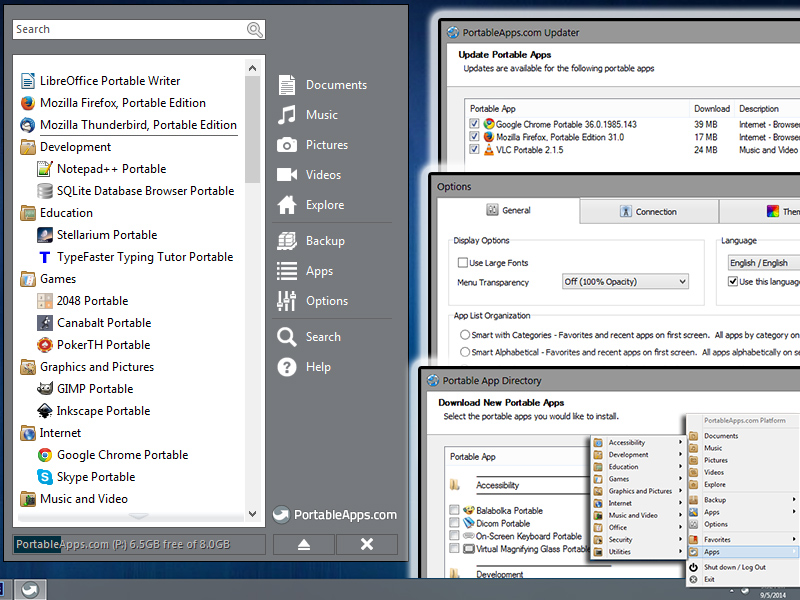
PortableApps.com Platform is an all-in-one tool for portable software download, management and updating. An included launcher shows nested folders organized automatically by function or favorite status, as well as a cascading app view on right-click of the tray icon. The program's appearance can be customized with transparency and several color, texture, and background options.
Other tools include a find-as-you-type search functionality, available cloud installation, drive error checker, backup/restore utility, portable fonts, automatic application closing on shutdown and more. The program can also work with portable software outside of the PortableApps format (see Extract instructions).
Functional in 64-bit and WINE, includes broad language support and proxy support.
| Category: | |
| Runs on: | WinXP / Vista / Win7 / Win8 / Win10 / Win11 / Wine |
| Writes settings to: | Application folder |
| Stealth: ? | Yes |
| Unicode support: | Yes |
| Path portability: | Automatic relative path (eg. ..\..\personal\work.doc) |
| License: | Freeware/Open Source |
| How to extract: |
To add non-PortableApps applications place the program in its own subfolder under the \PortableApps subfolder and press F5 or restart. The new app will appear in the launcher menu under Other. |
| Similar/alternative apps: | AutoRun LWMenu |
| What's new? | See: https://portableapps.com/platform/changelog |
| Latest comments |
ihateyou
on 2013-03-15 21:39
The PortableApps Platform has been updated (a few times) since this was last updated.
shnbwmn
on 2018-05-10 03:26
See all
24›
Latest version (v15.0) now supports .NET programs, the first of which appears to be KeePass Professional (or 2.x). |

QOwnNotes v24.4.3 Updated
Ennovy on 24 Apr 2024 Change history
- 64MB (uncompressed)
- Released on 23 Apr 2024
- Suggested by pbek
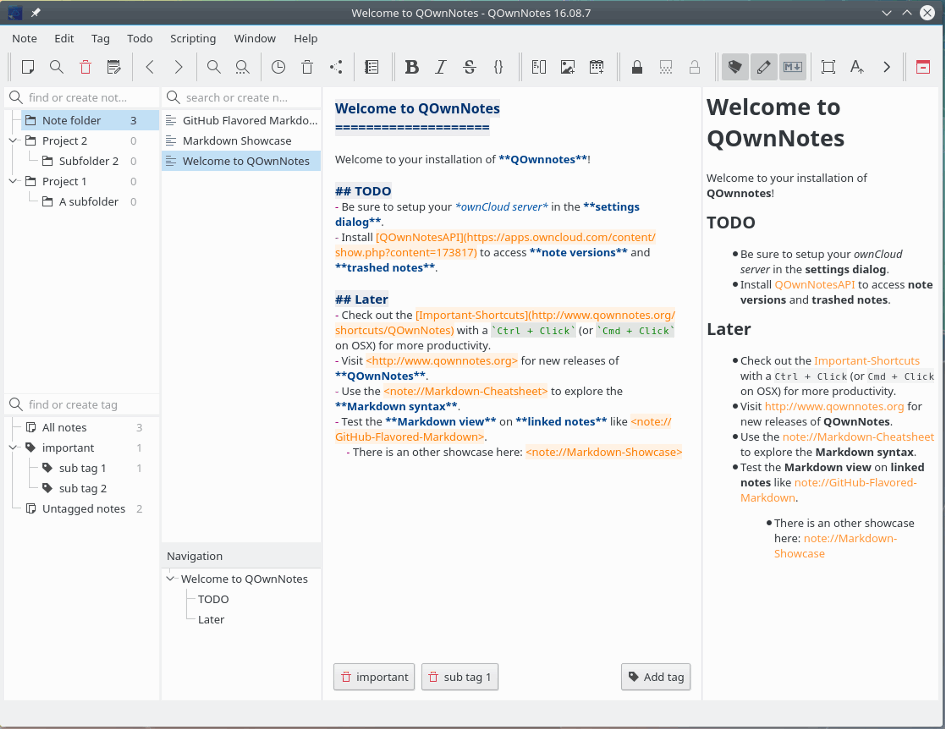
QOwnNotes is a text editor / notepad replacement with markdown support and todo list manager. The program supports themes, keyboard shortcuts, syntax highlighting and encryption. Includes available nested file list, tags, search and more. Optionally works with the notes application ownCloud or Nextcloud.
Cross-platform with clients available for Mac and Linux. Windows XP users can find builds here.
| Category: | |
| Runs on: | WinXP / Vista / Win7 / Win8 / Win10 / Win11 |
| Writes settings to: | Application folder (if launched with QOwnNotesPortable.bat) |
| Unicode support: | Yes |
| Path portability: | Automatic relative path (eg. ..\..\personal\work.doc) |
| License: | GNU GPLv2 |
| How to extract: |
Download the ZIP package and extract to a folder of your choice. Launch QOwnNotesPortable.bat or launch QOwnNotes.exe --portable. Optionally, delete unnecessary language files. |
| What's new? | See: https://www.qownnotes.org/changelog.html |
| Latest comments | See all 8› |

HashGenerator v8.0 Updated
Andrew Lee on 23 Apr 2024 Change history
- 1MB (uncompressed)
- Released on 18 Apr 2024
- Suggested by guinness
HashGenerator is a universal hash generator tool that automates the generation of 14 different type of hashes or checksums. The user can directly enter, paste any text from clipboard, or drag-and-drop to generate a hash.
The program supports most of the popular hashes including the MD5 and SHA families, BASE64, CRC32, ROT13, RIPEMD, ALDER32, HAVAL, WHIRLPOOL, etc.
Note: main site is linking to an encrypted, non-portable installer version; linking to Softpedia.
| Category: | |
| Runs on: | WinXP / Vista / Win7 |
| Writes settings to: | None |
| Stealth: ? | Yes |
| Unicode support: | No |
| License: | Freeware |
| How to extract: |
|
| What's new? |
|
| Latest comments |
bzl333
on 2014-06-29 18:01
See all
6›
10/53 at VT for version 3.0 and several of the AV companies name SecurityXploded in the definition, lol. |

Pale Moon Portable v33.1.0 Updated
Midas on 23 Apr 2024 Change history
- 49MB (uncompressed)
- Released on 23 Apr 2024
- Suggested by infimum
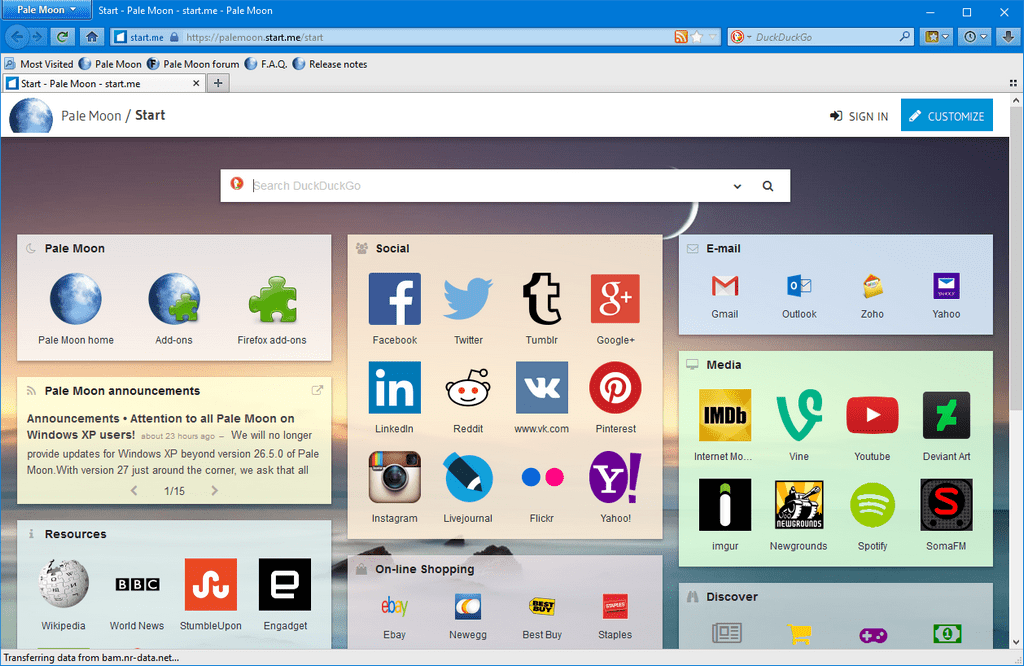
Pale Moon is an Open Source fork of a previous version of Firefox focusing on ease of use, efficiency and customization.
Pale Moon is built for multiple operating systems other than Windows and strives to offer a browser built independently (using the Goanna browser engine, the same as K-Meleon), with selected features and optimizations aimed at improving browser stability and overall user experience.
| Category: | |
| Runs on: | Win7 / Win8 / Win10 / Win11 |
| Writes settings to: | Application folder |
| Stealth: ? | No. Leaves the following empty folders behind:
|
| Unicode support: | Yes |
| License: | MPL v. 2.0 + redistribution restrictions |
| How to extract: | Download the "Portable" self-extracting package and extract to a folder of your choice. Launch Palemoon-Portable.exe. |
| Similar/alternative apps: | Firefox Portable, SeaMonkey Portable, K-Meleon |
| What's new? | See: https://www.palemoon.org/releasenotes.shtml |
| Latest comments | See all 93› |

RegCool v2.004 Updated
Midas on 23 Apr 2024 Change history
- 1MB (uncompressed)
- Released on 22 Apr 2024
- Suggested by JohnW
RegCool is an advanced registry editor. It provides the complete functionality of Windows' own Regedit and has many powerful features that allow you to work faster and more efficiently with registry related tasks: multiple undo and redo; search and replace; compare registries; cut, copy and paste; drag and drop; easy and flexible Favorites management; editing '.REG' and '.HIVE-Files' in offline mode; registry snapshot; backup and restore; defragment, etc.
RegCool runs on all Windows versions from Vista onward and is available in multiple languages.
| Category: | |
| Runs on: | Vista / Win7 / Win8 / Win10 / Win11 |
| Writes settings to: | Application folder |
| Dependencies: | Administrator rights, GDIPLUS.DLL, MSVCRT.DLL |
| Stealth: ? | Yes |
| Unicode support: | Yes |
| License: | Freeware |
| How to extract: | Download the portable ZIP package (x32 or x64 according to your OS) and extract to a folder of your choice. Launch RegCool.exe. |
| Similar/alternative apps: | Registry Commander |
| What's new? |
|

Audacity v3.5.1 Updated
Ennovy on 25 Apr 2024 Change history
- 26MB (uncompressed)
- Released on 24 Apr 2024
- Suggested by Andrew Lee
Audacity is a multi-track sound recorder and editor with support for most audio formats and sophisticated effects such as noise removal and studio reverb. Users can record live audio, compress or convert file types, as well as cut, copy, splice or mix sounds together.
Cross platform with clients available for Mac and Linux.
Alternatively, Audacity Portable and an outdated X-Audacity are also available.
| Category: | |
| Runs on: | Vista / Win7 / Win8 / Win10 |
| Writes settings to: | Application folder |
| Stealth: ? | No |
| Unicode support: | Yes |
| License: | GNU GPL |
| How to extract: |
|
| Similar/alternative apps: | Wavosaur |
| What's new? | See: https://github.com/audacity/audacity/releases |
| Latest comments |
anon2219
on 2021-12-29 23:12
My understanding is that data collection concerns can be disabled: https://github.com/audacity/audacity/issues/1213#issuecomment-892556317
Ultra7ven
on 2021-12-31 13:06
After years of not being able to just drop-in a recent version of ffmpeg in Audacity's application folder, you can finally just do that.
freakazoid
on 2021-12-31 16:28
See all
30›
@Ultra7ven - I have a forum post written up about how to set ffmpeg as a portable relative path: https://www.portablefreeware.com/forums/viewtopic.php?p=101359#p101359 |

1by1 v2.09 Updated
Ennovy on 22 Apr 2024 Change history
- 224KB (uncompressed)
- Released on 22 Apr 2024
- Suggested by Andrew Lee
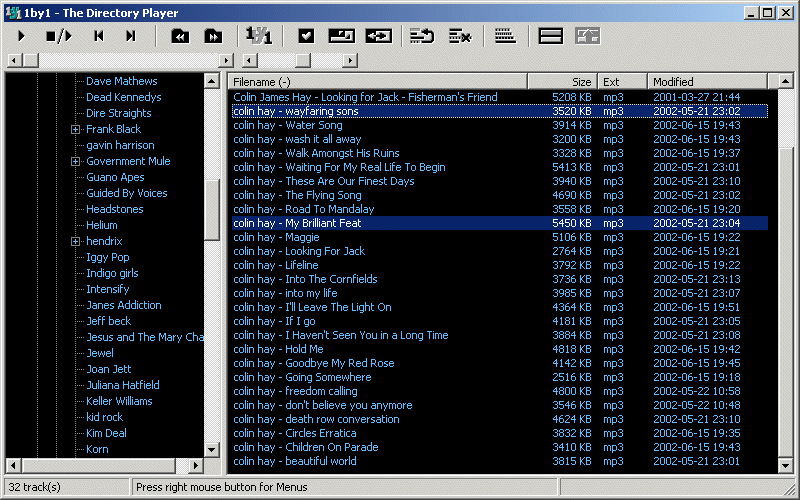
1by1 is a lightweight and low-resource usage audio player that plays directories or whole drives, with optional playlist/favorites support. The program remembers last track and position, supports gapless playback or crossfading between tracks, audio enhancer and Winamp 2.x input plugin support. Manage your collection from within the program including folder compare, delete, rename while playing, move and more.
Supports most popular formats including MP3, OGG, MP4, CDs and more.
| Category: | |
| Runs on: | Win2K / WinXP / Vista / Win7 / Win8 / Win10 / Win11 / Wine |
| Writes settings to: | Application folder |
| Stealth: ? | Yes |
| Unicode support: | Yes |
| Path portability: | Requires manual entry of relative path (eg. ..\..\personal\work.doc) |
| License: | Freeware |
| How to extract: | Download the self-extracting EXE and extract to a folder of your choice. Launch 1by1.exe. |
| Similar/alternative apps: | foobar2000 |
| What's new? | See: https://mpesch3.de/1by1.html#dwn |
| Latest comments |
freakazoid
on 2021-03-17 16:37
To reply to my previous comment, v1.98 just so happens to have a download size of 198kb :)
shuunen
on 2021-11-16 13:16
See all
42›
version 2 is out, 199kb setup file, unzip & enjoy a great portable minimal player <3 |

MiTeC JSON Viewer v3.2.1 Updated
Ennovy on 22 Apr 2024 Change history
- 2MB (uncompressed)
- Released on 22 Apr 2024
- Suggested by billon
MiTeC JSON Viewer include simple JSON Editor with JSON validation, support hierarchical and text preview, text searching and Base64 encoding/decoding.
| Category: | |
| Runs on: | WinXP / Vista / Win7 / Win8 / Win10 |
| Writes settings to: | Registry, if "Persistent settings" option is enabled (they'll be saved to 'HKCU\Software\MiTeC\JSONViewer'). |
| Stealth: ? | Yes. But only if no settings saved; otherwise see "Writes settings to" above. |
| Unicode support: | Yes |
| License: | Free for personal use |
| How to extract: | Download the ZIP package and extract to a folder of your choice. Launch JSONView.exe. |
| Similar/alternative apps: | JSONedit |
| What's new? | See: https://mitec.cz/Data/XML/data_jsonvvh.xml |
| Latest comments | Add comment 1› |