

Oscar's File Renamer v1.2
Checker on 15 Mar 2014 Change history
- 556KB (uncompressed)
- Released on
- Suggested by Andrew Lee
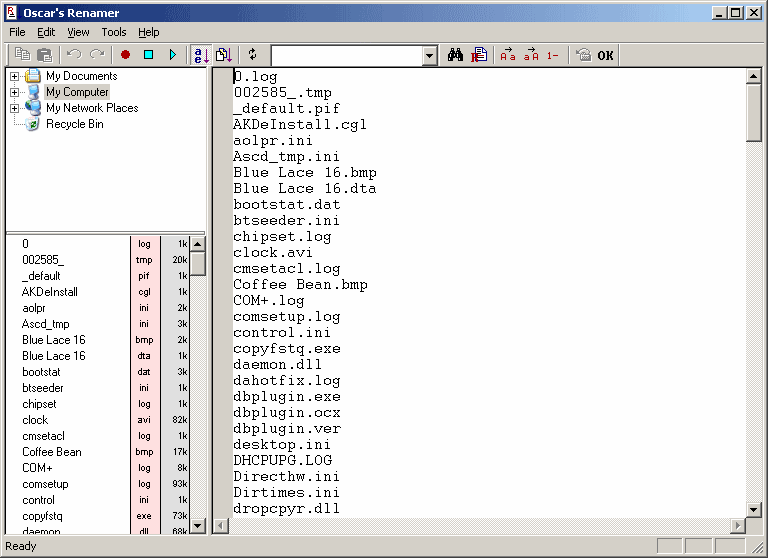
Oscar's File Renamer is a unique file renaming tool with an integrated text editor and macro support. You can perform custom editing of filenames using the integrated text editor, then apply all the changes in one operation.
Note: Newer versions of the program are shareware; linking to old version.
| Category: | |
| Runs on: | Win95 / Win98 / WinME / WinNT / Win2K / WinXP |
| Writes settings to: | Windows registry. But it writes a small number of non-critical settings (window position, last path accessed, last sort direction), so I am accepting it as portable. |
| Unicode support: | No |
| License: | Freeware |
| How to extract: |
Problems? This process requires an up-to-date component (Innounp 0.36 or above) for Universal Extractor. If you have difficulty extracting the files, follow the steps below and retry:
|
3 comments on Oscar's File Renamer


SteveIT
2007-11-22 01:41
eh "saVed" myself a lot of time obviously
SteveIT
2007-11-22 01:41
Brilliant little program, exactly what I need! Same as the authour, me too I was fed up renaming hundreds and hundreds of files using the Windows F2 key. I was thinking about writing a similar program, but luckily I looked on this website first for existing programs and samed myself a lot of time developing the thing myself. This one definately stays on my toolbox-USB-stick! Many thanks to the author.

Thanks a lot! For me the best solution!
Just small addenda: Writes settings to Windows registry: HKEY_CURRENT_USER\Software\PrivatePict\