

SumatraPDF v3.5.2
Ennovy on 25 Oct 2023 Change history
- 12MB (uncompressed)
- Released on 25 Oct 2023
- Suggested by Darkbee
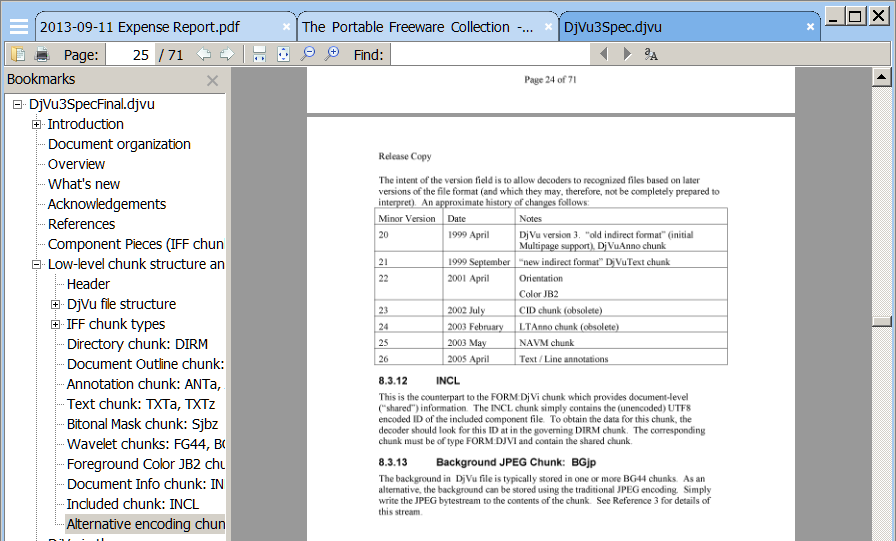
SumatraPDF is a lightweight, tabbed document reader for a variety of formats. Includes a wide variety of views including table of contents, rotation, facing pages, book view (2 pages side-by-side), full screen and presentation mode. Includes support for bookmarks, command-line arguments, hotkeys, and more. Additionally, SumatraPDF can function as a portable browser plugin. Supported formats include PDF, eBooks (EPUB, MOBI, FB2/FB2Z, PDB, TCR), Comic Books (CBZ/CBR/CBT/CB7Z), DJVU, CHM, XPS, TXT, images (JPG, PNG, GIF, TIFF, J2K, WEBP, TGA) and PostScript documents (PS/EPS, AI, PRN - requires Ghostscript).
Alternatively, Sumatra Portable adjusts recently used and most used file paths.
| Category: | |
| Runs on: | Vista / Win7 / Win8 / Win10 |
| Writes settings to: | Application folder |
| Stealth: ? | Yes |
| Unicode support: | Yes |
| License: | GNU GPLv3 |
| How to extract: | Download the "Portable version" ZIP package and extract to a folder of your choice. Launch SumatraPDF.exe. |
| Similar/alternative apps: | STDU Viewer |
| What's new? | See: https://www.sumatrapdfreader.org/docs/Version-history |
60 comments on SumatraPDF


jenss
2022-06-03 05:15
sumatra cannot read certain edited pdf documents
instead use sumatra prerelease :
https://www.sumatrapdfreader.org/prerelease
or use another reader : ex adobe reader
v3.4.4
jenss
2022-05-30 05:03
v 3.4.3 out now
https://www.sumatrapdfreader.org/download-free-pdf-viewer
v3.4.2
jenss
2022-05-28 08:19
backspace key does not work on a word written in search in version 3.4.2
x64 installation and portable on win10 21H2. Sumatra prerelease is working ok
I found 3.4.1 here
https://www.rlxtech.tech/2022/03/sumatra-pdf.html
v3.4.2
ripu
2015-12-24 06:46
Ignore my previous comment. I am an idiot. It actually uses an old version of Sumatra, which was faster and lighter.
v3.1.1
ripu
2015-12-24 06:31
I was using sumatra for a long time. Recently I had to open a high graphics magagine PDF. And it was very slow, slower than foxit and pdfxchange. Then I tried all the pdf viewers in this site.
After testing I found that, Universal Viewer is the fastest PDF viewer, especially for high graphics magagine kind of PDFs. I have a lower mid range laptop. Universal viewer throws sumatra, pdfxcange, foxit out of water when it comes to speed of loading one after another high graphics page. And it's the lightest of all the PDF viewers, uses minimal CPU unlike others I have mentioned.
v3.1.1
Emka
2015-11-03 07:24
Any ideas if the portable browser plugin still works with v3.x? When I follow SYSTEM's extraction instructions above, I don't get npPdfViewer.dll but two other dlls, PdfFilter and PdfPreview. Without nPdfViewer the plugin does not work, with it opera:plugins (good ole Opera 12) says the plugin is still at v2.5.2, the version of said dll.
v3.1.1
ihateyou
2013-11-15 02:35
SumatraPDF would be great if it didn't support DRM. It prevents you from copying or printing PDFs that are "protected", and the author refuses to make it optional. Hypocritical for Free Software to support DRM if you ask me.
v2.4

older sumatra as 3.4.1 also with read problem
note : prerelease is not recommended as default reader !
v3.4.4